


Podcast: Play in new window | Download
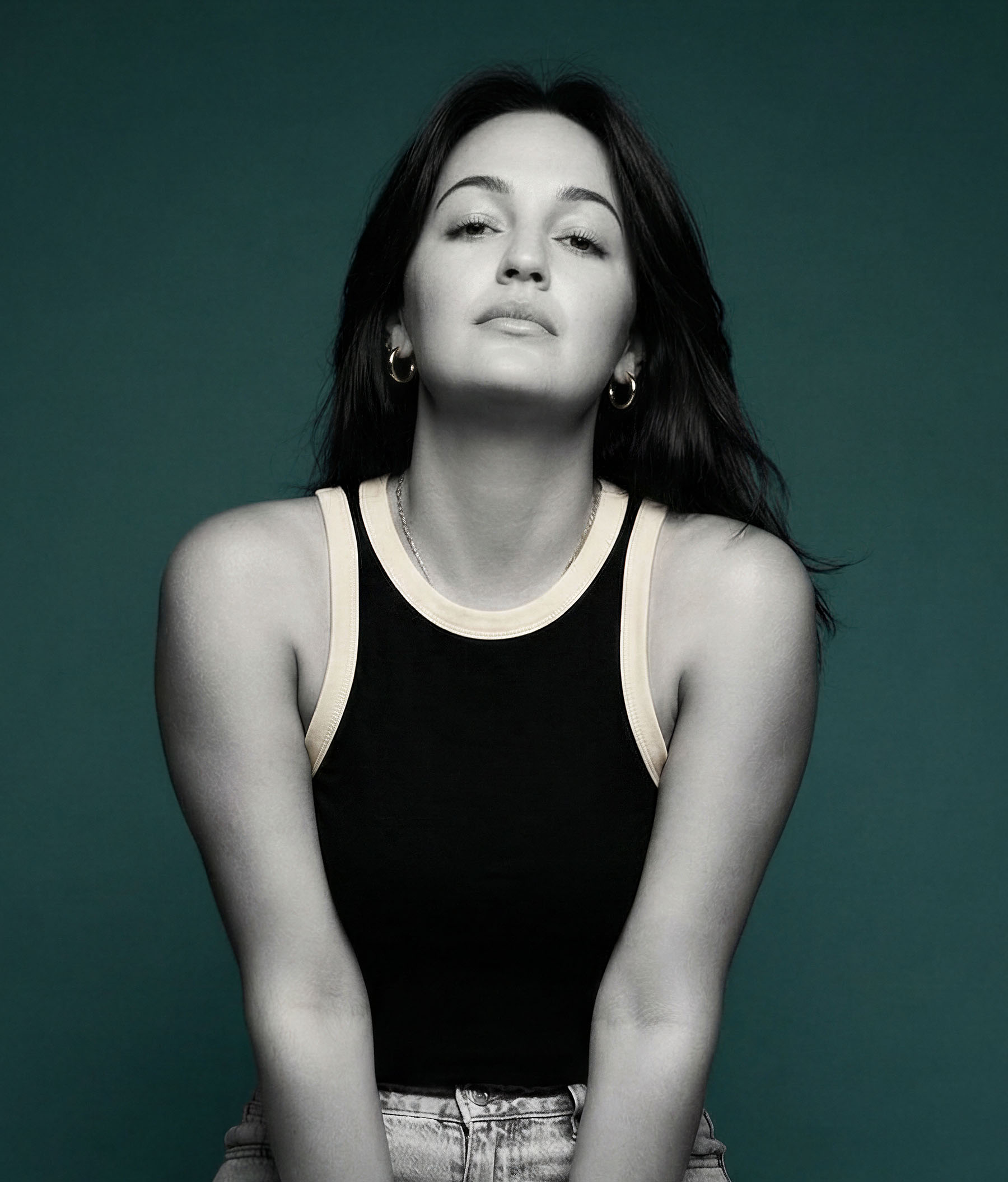
Most marketers don’t need more AI images, they need better ones – on-brand and built for a specific goal. Your “AI Auntie” Lauren deVane shares a creative director’s approach to AI imagery, including how to shoes the right model, get consistency, and build a repeatable model that doesn’t rely on luck or feed you “AI slop”.
Is AI Image Generation Ready for Your Marketing Needs?
You know that feeling when you’re hunting for the perfect stock photo and you find one that’s almost right—but the colors are off, the model’s outfit doesn’t match your brand, and you just know three other companies in your space are using the exact same image?
Lauren deVane knows that feeling intimately. She spent years as a creative director at companies like Ulta Beauty and Walgreens, scrolling through Adobe Stock and iStock every single week, trying to find something different, something fresh, something that didn’t scream “generic stock photo.”
“The amount of time I spent just trying to find something that was different than what we’d done before or felt a little bit more custom,” Lauren recalls. “The difference here now is that we can create whatever we want.”
Lauren—who now teaches brands and marketers how to integrate AI imagery into their workflows as “your AI Auntie”—joined me on the podcast to talk about how AI image generation has evolved from a quirky experiment into a legitimate marketing tool. And if you dismissed these tools six months ago, it’s time for a second look.
AI Image Generation Just Made a Huge Leap
When Lauren first discovered MidJourney on Discord back in late 2022, the models were, in her words, “very bad.” But she could see the potential. As a creative who had produced, styled, and art-directed countless photo shoots, she understood what was coming.
“I could really see what AI was going to do,” she says. So she pivoted her entire business, throwing up a landing page for a course she hadn’t even created yet, because she knew change was coming for creatives.
That bet paid off. In August 2024, Google launched Nano Banana (yes, that’s the actual name). Then in November, they released Nano Banana Pro, which Lauren describes as “unlike anything we have seen before.”
Here’s why: Previous AI image models could generate cool images from text prompts. That was neat. But Nano Banana Pro can also edit existing images in ways that rival what professionals do in Photoshop—except it happens in seconds instead of hours.
“If you’ve got an image of a model staring right at you, now you can say show me just the same model in the same outfit but from a hundred different angles,” Lauren explains. “We have the ability to make these quick edits that maybe would have taken us hours or days in Photoshop.”
Creating Custom Images That Actually Look Like Your Brand
The real advantage of AI image generation isn’t just speed—it’s customization. Stock photography forces you to choose from what exists. AI lets you create what you actually need.
“Previously, brands are looking at stock photography, and they’re either looking at bad stock photography or very editorial stock photography from some other sites, but then everyone else is using those same images,” Lauren points out. “I saw this really great stock image, but then I also saw this other brand using it. And I also saw this other brand using it.”
With AI, you can create original images that align exactly with your brand guidelines. Need a specific color palette? Done. Want your product shown in a particular setting? Easy. Need that model in your brand colors doing something specific? You can make it happen.
“Now we can have a woman crying into our salad, but she’s on brand,” Lauren jokes. And honestly, that’s not a bad summary of the whole opportunity here.
The Practical Tools You Can Start With Today
If you’re ready to experiment with AI image generation, Lauren recommends starting simple. Jump into Google Gemini and play around—you get a couple of free iterations using Nano Banana or Nano Banana Pro.
“Just throw in a prompt or even ask it to help you write a prompt, because it’s a large language model, so it can do that,” she suggests. “You could explain what you need and then just see and run it a couple times.”
For product-based businesses, the opportunity is especially clear. Drop your product into the AI tool and experiment: “Hey, I want you to put this in three different scenes” or “Show me this from different angles.”
“Until you really see it happening in front of you in a personal way where it’s like, oh, that’s my product or that’s my idea come to life, that’s when things really start making that connection,” Lauren says.
For those who want more structured learning, Lauren created a course called “Foundations of Faux Photography” (spelled F-A-U-X, because we know it’s fake but it sounds fancy). She teaches specifically in FreePik, covering the different models, how to use upscalers and editing tools, proper prompting techniques, and how to edit existing images.
How to Avoid Creating “AI Slop”
Last year, the term “AI slop” entered our vocabulary to describe low-quality, purposeless AI-generated content flooding social media. So how do you create AI images that don’t qualify as slop?
According to Lauren, it’s not about the tool—it’s about taste and purpose.
“There’s bad photography out there. There’s bad drawings or illustrations or paintings,” she notes. “It’s a matter of taste and a matter of being able to discern what is going to move the needle dependent on whatever your goal is with these images.”
The key difference is understanding why you’re creating an image. Commercial photography for brands has a goal—to make someone buy something, to make someone feel a specific thing, to drive a particular action.
“If you’re just creating randomly and throwing random dogs getting arrested and weird stuff like that, well, what is the point?” Lauren asks. “Understanding the point and having the ability to refine an image and have the taste to discern what is the image that is going to work is going to keep you on the other side of the slop.”
In other words: Just because you can generate an image of a cat riding a unicorn through a dystopian cityscape doesn’t mean you should—unless that somehow serves your actual marketing goals.
The Bottom Line
AI image generation has reached a tipping point. The tools are good enough, affordable enough, and fast enough to solve real marketing problems—particularly the stock photography problem of everyone using the same images.
“Today is the worst these tools are ever going to be,” Lauren reminds us. And that’s exciting, because they’re already impressive.
Whether you’re a small business owner tired of generic stock photos, a marketing manager trying to create more content with limited resources, or a creative professional curious about what’s possible, the barrier to entry is low enough to just start experimenting.
You might not become an AI artist overnight. But you can probably solve that “we need three social posts with product images by Friday” problem a whole lot faster than you used to.
And your brand images won’t look like everyone else’s. Which, let’s be honest, is worth the learning curve all by itself.
Transcript from Lauren deVane’s Episode
Rich: My next guest is an ex-Ulta Beauty social creative director turned AI educator, helping brands, business owners, and marketers integrate AI imagery into their work. She’s known as your AI auntie and I’m excited to welcome Lauren deVane to the show. Lauren, so glad to have you.
Lauren: Hi, Rich. Thanks for having me. And honestly, I go back and forth between auntie and auntie too, because I’m like, it should be auntie, like there’s a “u” in there. But for whatever reason, some of us say “antie”, so whichever you want to call me, that works for me.
Rich: My aunts were always ‘ants’ when I was growing up.
Lauren: Same. It just doesn’t feel like ‘AI antie’, it sounds like an ant, like a little ant, right?
Rich: Auntie always seemed a little bit more posh or British to me, of which I am neither. So yeah, for me, you’re my AI auntie. But I guess if you’re more sophisticated than me, you might be their AI auntie.
Alright. Anyway, now that we’ve got that settled… or not, I’m just kind of curious, what got you started in AI generated imagery?
Lauren: Yeah, so I actually started my own business The Bemused Studio in 2021, but previous to that I was at Ulta Beauty, like you mentioned. And I got my degree in graphic design, I don’t want to think about how many years ago, 15 years ago probably. And then I worked at Walgreens corporate and Ulta for a long time, and was in all of these different spaces at both of those brands.
And so in 2022 when AI started kind of becoming a little bit more in the ether of things that were happening, I discovered Midjourney on Discord. And I had never used Discord, but I was like, let me just figure out what this is because it looks promising. And as soon as I started playing around in there, I immediately started connecting dots from my roles at Ulta and Walgreens as a creative to, oh my gosh, what could this possibly do for creatives?
Now, this was late 2022 where the models were very bad, but I could see the potential of what was coming from these models. And so I really just shifted what I was doing. I was doing brand design at Bemused, and I just immediately said you know what? Change is coming for creatives in so many different capacities. And so I threw up a landing page for a course that hadn’t even been figured out, but I knew that that was the direction I was going to go, just because from my experience of producing shoots, styling shoots, planning shoots, art directing, creative directing, doing all these things. I could really see what AI was going to do, and so I shifted into that space. And that’s kind of where we’re at now.
And it’s 2026, and just a few months ago we got the model that I really feel like is the real shift that brands and businesses have been waiting for with AI imagery.
Rich: All right. Well, we’ll get to that big reveal soon enough. Now for those of us who for years have been using traditional photography or stock images, what’s the argument for incorporating AI into our marketing workflow? How do you see that being adapted or being adopted?
Lauren: Instead of stock photography you mean?
Rich: Or maybe in addition to stock photography. I don’t know that we want to throw the baby out with the bath water.
Lauren: For sure. I mean, I can tell you stories about times when I was at Walgreens, and I was on the photo team for a long time at Walgreens, and so we were constantly having to look for stock photography that were going to go into all of our photo products every single week. We needed new images of families, and we needed new images of just different things. And the amount of time that I spent just scrolling Adobe Stock or iStock or something, trying to find something that was different than what we’d done before or felt a little bit more custom. The difference here now is that we can create whatever we want.
So previously, brands are going and looking at stock photography and they’re either looking at bad stock photography of a woman crying into her salad is the same image of another woman crying into her salad in like a sad workplace where that’s what you have. Or you’ve got very more editorial, stock photography from some other sites, but then everyone else is using those same images, right?
And so it’s like, oh, I saw this really great stock image, but then I also saw this other brand using it, and I also saw this other brand using it. And so with AI, we have the opportunity to really make custom images, original images that align exactly with our brand. Now we can have a woman crying into our salad, but she’s on brand. And so that allows us to really streamline what we’re working with. We can save time in terms of, you know, not having to spend hours looking for stock, but we also have the ability now to create our own custom original images.
Rich: You kind of hinted at this a little bit, the fact that the tools are getting better. And so for those of us who haven’t maybe looked at any AI generated imagery in six months or a year, how has the technology evolved? Like, are we still seeing six fingered hands out there?
Lauren: On occasion you will still see some six finger hands, but for the most part, most of these models are much better. And Google’s newest model, Nano Banana Pro, which released just in mid to late November. So we’re very new still. This model is unlike anything we have seen before, and even before their first iteration of Nano Banana that came out in August. That was really even like a holy moly moment. I don’t know if I’m even allowed to swear on this podcast, but it was definitely like a ‘wow’ as somebody that taught myself Photoshop when I was like 10 years old before YouTube existed. So I’d been using Photoshop for a very long time.
Previous to Nano Banana, we had models that could make images, like generate cool images from text. Nano Banana and Nano Banana Pro can do that, but they can also edit images like you’ve never seen before. And so that’s another piece of this puzzle is that we have the ability to create new original images, and then we have the ability to take existing images and change them.
So if you’ve got an image of a model that’s staring right at you, now you can say, “show me this same model in the same outfit, but from a higher angle”, or “she’s looking to the left” or whatever those quick changes need to be, change her outfit, change the setting, change the scenery, change what she’s holding. So now we have the ability to make these quick edits that maybe would’ve taken us hours or days in Photoshop. Even someone that’s been using Photoshop for a long time, it’s really going to speed up our process as creatives now.
To answer the question, the models have changed drastically in the last year, six months. Honestly, the last three months has really been a huge jump as well. And they just keep getting better. I always say that today is the worst they’re ever going to be.
Rich: Absolutely. It’s interesting talking about Nano Banana. I had uploaded a photo, a stock photo. It was actually the model from the distracted boyfriend meme. She’s in a lot of stock photography, and she’s holding on the beach a silver can. It could be a beer can, it could be a Coke can, whatever it is. And Moxie, for whatever reason, is a popular brand of soda here in Maine. And I took a photo from their website and I said, “Can you put Moxie in her hand?” And the attention to detail, like even the shadow of her fingers over the can was all replicated. Right down, like zooming in, it was just incredible.
And I talked to a friend who does a lot of the image work that you talk about, and the amount of time he spends and would’ve spent in Photoshop would be hours to create something like that. And he can do it in moments using some of these tools.
Rich: You mentioned Nano Banana, definitely one of the more powerful ones out there, but it’s not alone. You’ve got Midjourney, you’ve got Flux, you’ve got Dall-E. Have you found that there are different AI gen image generation platforms that are better at different tasks in your work? And if so, how do you decide which tool you’re going to use if you do have more than one?
Lauren: For sure. So when we look, when we think about image models, they are trained on data sets of images that they’ve looked at, plus the metadata that is paired with those. And so each of these models is going to have different training sets. And so each of them are going to output an image in a different way, regardless of if you’re using the same prompt on each of them.
And so some of them are really good. Like Nano Banana Pro is really good at being able to take a picture of a person and recreate that person’s face in different places or different scenarios. It’s also very good at taking a product. So if you are a product-based business and you have a candle, or you have water bottles, or you have phone cases or whatever it is that your product is, it’s able to be able to take a simple image that you took on your phone or a skew shot on white background and be able to repurpose that very, very well down to the text even.
And Nano Banana Pro can go all the way up to 4K, so you can get a lot more detail in those images as well. And so I always tell people like, if you have a product that you’re trying to Nano Banana Pro is going to be your best option.
Now I use a tool that’s kind of an aggregator of different models. And so basically it allows me to access Nano Banana and Nano Banana Pro. It allows me to access Qwen, it allows me to access Seedream, it allows me to access Flux. It allows me to access ChatGPT image. So I can basically just go into Freepik, run a prompt, and run it on each of these different models to be able to be like, oh, I like the vibe of this one because if you don’t have a product or a person and you’re just like, “Hey, I need to create some stock imagery of fake people”, they don’t need to be anyone real.
I really love Seedream because I think it’s really saturated, vibrant imagery and I think it does a really good job of more editorial style. So it kind of depends on what your use case is.
And then when we talk about Midjourney. Midjourney is not included in Freepik because it doesn’t have an API right now, which basically means other tools can bring in their image model on the backend, and that’s kind of what Freepik is doing. Midjourney doesn’t have that, but Midjourney was kind of like the OG. That’s where I started. And we’re waiting for v.8 to drop. It should be dropping sometime this month. We’ve been waiting for a while for it. Hopefully it will be better at text. Right now, Midjourney sucks at text. Anything that you have text in there, it’s going to look like gibberish or like a non-language. It just isn’t good at that. It’s also not great at repurposing faces.
I go to Midjourney when I just want to create and explore and have fun. I think of Midjourney more as the art side of things, where it’s like there’s no goal to it. I’m just exploring and it’s real. Midjourney is really cool because it has a lot of different things inside of it that most of these models don’t have, where it has mood boards and you can basically put together a mood board and then use that as your style on top of your images. So it’s just a really fun place to play.
Whereas if I have a goal and I’m working on a client project and it’s like, okay, this is what I’m trying to solve for, I’m not going to use Midjourney, it’s almost like that’s your playtime, and go to the models that are truly able to handle what it is and follow a prompt.
Midjourney can’t follow a super long prompt. It’ll follow some parts, and then you’re like, wait, I asked for it to be in this scene, and it’s not in that scene. Or that girl isn’t wearing what she’s supposed to be wearing. Whereas Nano Banana or Seedream, they’re going to nail most of those things that you have in a prompt.
So I think those are kind of the differences is it’s like, what is your use case? And it does take testing because there’s no way to really know what one of them is going to do. Like I was creating some images with hockey pucks the other day, and Seedream thought hockey pucks were like a smashburger, they were so thin and it was just like, this is what it thinks hockey pucks look like. I can’t use this model. I need to go to a model that understands what they look like. So it’s this kind of constant ‘which is the right model for what I’m trying to solve for’. And that’s why I like Freepik because you have options to run it all right there.
Rich: So Freepik, which I assume is not free, but it’s a smorgasbord of choices and you can run it and can you see multiple versions. So if you say, “I need a woman on a beach, drinking a can Moxie”, suddenly you’re going to see seven versions of it from the seven, or whatever it is, AI tools that it’s connected to?
Lauren: Correct. So you basically have to decide, so when you run a prompt, you go in and you say, I want to use Nano Banana, and I’m going to run this prompt. If you’re using Nano Banana, and another thing that I really like about Freepik is that on a lot of these models, you get multiple images per output.
So if I go in and put a prompt in for a woman crying into her salad in Central Park, if I run that in Nano Banana, I’m going to get four, and I can choose up to four images back. Same with Seedream, I’ll get four images. And so anytime you run a prompt with an AI image model, you’re going to get a different image, regardless of if you’re using that same prompt, because there are millions of possibilities fort this image model, to create something.
You have to think about all of the parts of an image, the composition of the image, the lighting of the image, what that person looks like, what that person’s wearing, what that person’s poses are like. There’s so many inputs in an image, and so I could put in that same prompt and run it in Seedream, run it in Nano Banana, run it in Nano Banana Pro, and all of these images are going to be different, but I can see them all right here on my screen.
So as a creative, our job when we’re using AI at this point is more like you are in the creative director chair now. You are the one making the call on this is the best image out of these 15 images. This is the one that’s actually doing the job that it needs, or this is the one that’s closest to doing the job that it needs to do. Now, let me take this image and use it as a reference and make changes or go through that process.
But I really believe that working with AI imagery, you have to think about it as a process, not just like I’m putting in one prompt and I’m going to get exactly what I want, because that’s not the case. I think that with using Freepik, when you do get those multiple outputs, you are upping your chances of getting something good. And I think a lot of people, when they first start playing with AI imagery, they go into maybe Google Gemini, they’re using Nano Banana inside there, they put in a prompt, they get one image back and they’re like, this isn’t good. And it’s like yeah, you only gave it one try out of a million possible tries.
So it’s like if you ran that prompt a couple times, maybe you’re going to land on something better. And I think that is the shift people need to kind of start thinking about is you’re not going to automatically just get what you want. And I think that’s what people assume. And maybe eventually we’ll get there and it’ll be that good. But taste is a big piece of it, and you need to understand that you are the one that has to make those decisions. It can give you four images, but you’re the one that has to decide which is the best and why it’s doing the job that it needs to do.
Rich: So talking about Freepik. I haven’t used Freepik, but I used a similar tool where I would have access to a bunch of the different image generation tools, and I ended up dropping it. And the reason I dropped it was because I preferred to have the hands-on control like I would get if I worked directly with Flux or worked directly with Nano Banana. Am I just missing something in the experience?
And maybe the tools have improved, but he just felt like I was always one step removed from the process and I didn’t have as much control with the toggles or dialing things up or down. Is that user error or is that one of the issues? Is there a loss of control when you’re using a tool like Freepik?
Lauren: I don’t necessarily think that there is. I think it’s just a matter of understanding what the new process is. So when you talk about, say you’re using Nano Banana inside of Google Gemini and you create an image and then you’ve got that image, and now you’re able to say, “Oh, I want to make changes to it”, in Freepik you would just do it a little bit differently.
So once it created those images, you would pick the one that you would like, and then you would say, “Use as a reference”. And so now I’m using that as a new reference image, and I can go ahead and make my edits to what that initial image was. So I don’t necessarily know that it’s user error, it’s just more so like, okay, I have to figure out what the right workflow is for this tool.
Now I will say another difference with Google’s Nano Banana and Nano Banana Pro, is that they are powered by Google Gemini. So most of these image models are trained just on their data sets and the metadata and the images. Whereas Nano Banana has a whole large language model behind it. It can almost be prompted in the same way that you could potentially prompt a larger language model.
And so you can go in your prompt, and it’s wild because I’ve come up with a bunch of these different prompts, but it’s like you give it a reference image and then you tell it to study that reference image and turn that product into a whimsical world surrounding it, taking from what’s in that. So I could put in a box of pink and orange cookies in there and just say, “Analyze this as a creative director and set designer, and I want you to…” and you basically write a templated prompt and it’s able to analyze it and then create an image that is so custom to whatever your packaging is.
So it’s able to do a little bit more, not a little bit more, a lot more than some of these other models where if you were to say that to Midjourney, it would be like, I can’t see and be able to analyze this and come up with a new plan for this specific product. Whereas Nano Banana can do that. And you can do that in Freepik too still.
So even though you’re not in Gemini’s large language model, it’s still using it on the backend inside Freepik. So I think it’s just a matter of coming up, figuring out what the right flow is inside Freepik. Because it’s all going to be a different user experience regardless of what tool you’re using.
Rich: Alright. You kind of already talked about it, but let’s talk about prompting. Do you recommend that we come in with a detailed, specific prompt, or more of a simple, open-ended approach? And how do you decide if it comes down to ‘it depends”?
Lauren: It depends. And it depends because you can be using AI imagery for a multitude of things. So if your goal is like, I need this very specific stock photo, and you know exactly what you want, you can get really detailed with the prompt. If you know exactly the outfits that she should be wearing, and exactly the makeup that she has on, “I want her to have green eyeshadow with gems across the eyelids, and a short pixie haircut with a pink stripe through it.” You can get super detailed on any part of that prompt, whether it’s the subject, whether it’s the scene, whether it’s the lighting, and so the things that you maybe don’t care enough about. And it’s just like, okay, whatever. Like I don’t care where they are, I just want it to be this person. Then it’s like, you don’t have to get super detailed.
The thing about these AI image models is, whatever you don’t tell it, it’s just going to kind of come up with something for you. And so the parts that you don’t give it, it’s going to interpret on its own. And then the parts that you do give it, it’s going to try and actually get really detailed in terms of that specific part of it.
So you can be using it to get something very specific, or you can leave some things open-ended because you’re ideating or you’re exploring a concept. So you could just say, “show me a blonde model in all black in different fashion poses”. And then it’s like, okay, now I’m using this to just pull ideas for a photo shoot based on the way that it comes up with it. So you’re using it to come up with the idea, rather than you giving it that idea.
So does that kind of answer the question of you can be using it for both? Just, I think the biggest unlock is that you can get super detailed with your prompts, but what you don’t tell it, it’s going to go to the most basic, the most obvious.
Rich: So when you do give it more detail, that’s when it can start, you know, going off on its own and, and coming up with more creative stuff. You mentioned earlier, at least for Nano Banana, that sometimes you’ll – and this is what I interpreted you saying – that sometimes you’ll prompt it by saying you’re a creative director or whatever it might be. Do you find that when you’re giving it a role like that, that you’re getting different types of responses versus not telling it to look at it from a certain perspective?
Lauren: Yeah, but I would say the only model that that prompting, I don’t know what the word is, a way….
Rich: Works with or whatever. Yeah, yeah.
Lauren: Is going to be Nano Banana. Because it’s the one that has that, like I’ve tried it with Seedream and I don’t notice a huge difference. But definitely I’ve come up with some prompts where I’ll take a mood board that I’ve created and I’ll say, “analyze this mood board”. And then I’ve got a longer prompt that breaks down like “I want you to now turn this into a landing page and here are the different sections that I want from it”, and it will literally create a full, pretty high-fidelity landing page that I could then be able to go and recreate somewhere.
And if you tell it, “Hey, I want you to act as an expert web designer or an expert UX designer”, it’s going to be thinking more from that perspective. Because when we think about large language models, they have general knowledge on everything, but it kind of stops at a level. But when you instruct a large language model to take on a role, now it’s really narrowed down its understanding of what’s good. If you tell it to be an expert x, y, z, you’re going to get far better results than if you just say, okay, here’s the thing I need.
Rich: That’s great. I have not tried that. And I do love Nano Banana, so that’ll be, as soon as I get off the call with you, something I’ll start playing around with.
Now, a big challenge that I have found is having AI stay on brand. And so what tips or tools would you recommend so that our AI-generated images are reflective of our brand colors, our brand vibe, our brand guide?
Lauren: So another thing that I really like about Freepik is there’s two things that you can do in there. You can create styles, so you could have images that already have kind of like the vibe, the aesthetic of your brand that you upload in there and then use that style as kind of like an overlay on whatever your prompt is.
I don’t use that quite as much, but the thing that I really like is that they have an option and it works on any of the different models. They’ll end up interpreting it a little bit differently, but you can create a color palette. So I can go in and put in whatever prompt I want, and then just infuse my color palette into it so when I’m creating social assets and stuff like that, I just turn on that color and it’s like, boom. Now this feels appropriate for my page, and I can run this. And it’s like, boom. Easy peasy.
I do think having set brand guidelines and understanding as a brand, what are our brand colors? Where can we deviate? What is our photography style? Is it bright and airy? Is it moody and editorial? Knowing that is going to help you then be able to consistently prompt for that.
You can also, rather than training a style, you can use reference images. And so with a model like Nano Banana Pro you get, I want to say if my brain is correct, up to 14 reference images at a time. So if you’ve got a couple different reference images, you could be like, “Hey, I want you to pull the lighting style from this image, but I want you to pull the composition from this image”, and so you are able to kind of take existing brand assets and use those as knowledge and reference to the models when you’re creating new images.
Rich: Interesting. I have had some success. I was just putting together a blog post recently and had some images that I wanted to generate. They were in my head, there was nothing in stock photography that was going to do this. And I gave it the prompt for what I was looking for, but I also included the hex colors. To be honest, I did not go in with the eyedropper afterwards and confirm that that was exactly whatever it was, but they certainly looked at first glance like they were on brand.
And I actually think that maybe next time playing with Nano Banana, I might upload my brand guide as part of the references and just say, this is our brand guide, now I need images that do this, that reflect our brand guide and see what kind of results I get.
Lauren: So to that point, therein lies a difference between being able to work with Nano Banana inside of Gemini versus using in Freepik. Because you can do that because when you’re working with it in Gemini, you’re working with it as if it’s a large language model and it’s creating your images right in there.
So in that case, yeah, go in, upload, have it understand exactly what your brand is, and then maybe be like, okay, now I want you to create some like. Prompt templates that are leaning heavily into what our brand, like what you found from this brand, and then you can have it create images right there in Gemini.
The only problem that I find with doing it right in Gemini is one, you generally get a watermark in the corner. And then also, you are only getting one image at a time. Now on Freepik, you only get one image at a time, with Nano Banana Pro anyways, which is so frustrating. But it’s the best model. It’s the most expensive, technically. But on the Freepik plan that I’m on, which another reason that, and again, this is not sponsored by Freepik, I just really like Freepik because I think it really is great.
Because on the plan that I’m on, I get unlimited image generations except for 4K Nano Bananas. So all of my credits that I’m paying for are going towards upscaling my images or turning them into video, so I’m not stressing about oh, I had somebody ask in my school community I showed something that I did, and she said, “How much did that cost you to make?” And I’m like, I don’t know, because I don’t pay attention to that because I’m on unlimited.
And I do think that that is a barrier for a lot of people is if they’re sitting here being like, oh my gosh, I see my credits going down for the month. It’s like I’m not going to try anything further because I don’t want to waste credits. And it’s like, but that’s part of this process is that you need to try things. You need to run things a couple times. So I definitely think that being able to allow yourself to explore when you’re working with AI is a big thing that needs to be considered rather than just, okay, I’m giving myself 20 images today and that’s it, and then I’m cutting myself off. So definitely think about that too.
Rich: If those people are complaining about the cost of AI imagery, I’m going to tell them they should not try woodworking. Because the cost of wood, and the amount of scrap wood and trials and you know that you need to go through, it’s a forest worth for creating a small bookshelf. So that’s probably not where they need to go. Or you could use that as an example the next time they complain about the fact that they had to pay $0.75 cents for that image.
Lauren: Yeah, that’s the thing is at this point, AI imagery is so cheap to create. It’s the upscaling in the video that costs more.
Again, another great thing about Freepik is that you’ve got the Magnific upscaler right inside there, you’ve got all the best video models. There is a video editor in there, so it really is like an all in one. I’m either using Freepik, or if I’m playing, I go and use Midjourney. But those are the two. I’m not going and bouncing around to different models and paying for different models. It’s like, this is my place that I’m working.
Rich: For people who may not be familiar with upscaling, what exactly does it mean, and what exactly are you getting when you upscale an image in these tools?
Lauren: So when we think about of scaling pre-AI, if you had an image and you just went and stretched it because you’re like, I need to make this bigger because we’re printing this on a big banner, or whatever it is, you would go in and you would stretch it. And all of a sudden your image would look like crap because it’s pixelated and it’s blurry. Because all you’re doing is taking existing pixels and stretching them, which is not going to look good.
But now that we have AI upscaling, rather than just stretching an image, AI is looking at the image and predicting what colors different new pixels would be and actually creating new pixels in that image. And so now we’re able to take existing images or images that we created with AI and make them much larger in a way that it is sharp and it’s clear, and it’s not going to be degraded by just poor quality. And so when we’re working with AI image models, some of them are going to give you not a very big image when they first come out.
Which is why Nano Banana Pro, you can go 2K and 4K. So you generally don’t even need to upscale those if you’re using them digitally. Seedream lets you go 4K. So those are the two models that will let you get bigger images from the jump. But if you don’t have that, then you can go into Magnific. You could go to Magnific and sign up for their upscaler outside of Freepik. But they’ve also just released a skin enhancer.
And that’s a big piece of it too, because when you’re creating these AI images, there’s still a little bit that looks AI-esque to the skin or the eyes. And so you can go in and bring an image in there, and there’s an option in the skin enhancer to just choose to ‘make real’. And it’s like you run it and you’re like, holy moly! Holy moly, this looks like a real photograph and the actual detail. And when you zoom in, you’re like, wow, there are pores on her face, there is hair on their face, there is wrinkles. Like it’s really looking like a real photograph.
And so that’s the piece where it’s like, okay, if I’m using this, how can I take this image that maybe still looks a little bit fake to the point where it’s like, hmm, people are going to have a hard time figuring out if this is real or not. And so that upscaler, I think, is twofold. It’s like to be able to make it look even more real as well as to be able to use it in more places than just on social at that 1080 x 1350. It’s like you want it on your website, you need a bigger image, you’re going to want to upscale that.
So if you’re doing skew images for a product or something, you want somebody to be able to click into that and it comes up big so they can see detail and stuff like that rather than just oh, here’s a little image on my screen. So upscaling is definitely important, especially when you are doing iterations and you say, okay, I want to use this image and I’m going to use it as a reference to make changes, each time you’re kind of degrading that image a little bit more. So if we have the ability to sharpen it between iterations, that’s going to help the quality as well.
Rich: I’m just reminded of all of the movies and TV shows like Criminal Minds, where it’s like, oh, this picture’s too blurry, enhance it. And now it sounds like that’s actually possible.
Lauren: That’s right.
Rich: All right. Another challenge I’ve run into is character consistency. So I played around with a lot of AI tools, and we’ve got our Agents of Change agents who are all illustrations. And I’ve tried to use AI to put them into different positions or even to animate them, but often the faces or the bodies change too much. What tips do you have about making sure that whatever characters we have retain their consistency as we are using these tools?
Lauren: My first tip would be to use Nano Banana Pro. It is going to be the best at retaining that character consistency out of all of the models, in my opinion, it does the best job. But also, remembering that you could run it and you could get something that looks nothing like your character and then run it again, and it’s exactly your character.
So I also think when you’re using Nano Banana Pro, like previous to Nano Banana Pro, we had a lot of these models where, I don’t know if you’ve heard the term LoRAs (Low-Rank Adaptations), but they were basically like you would have to train these models more specifically with a lot of different example images. And now they’re kind of going by the wayside because Nano Banana Pro needs one or two references.
But when you are giving it references of say, like a person or your character, making sure that you’re giving it a closeup image of the face, so you’ve got a lot of those facial details. Then you want to also give it like a full body image, so it understands what does their body look like? And then maybe giving it a side profile image so that it has that understanding. Because if you say, “Hey, I want her to look into the left”, is her nose going to look the way that it should from that perspective? So giving it a couple images where you’ve got good detail and you’ve got a couple different angles is going to be helpful.
The other thing is when you’re prompting, if you’ve given it that image as the reference in your prompt, and I think this is going to be something that we’re going to see a lot more in 2026 than we’ve seen ever before with image generation, is negative prompting and telling it what you don’t want. And so getting specific saying, “do not change anything of the character. Keep her face exactly the same. Keep the clothing and the wardrobe exactly the same. I want her hair to be the same. I want the lighting to be the same. Do not change these things about it”, unless you are looking for it to change.
So you’re like, maybe I want everything to be exactly the same except for put her in a green velvet suit. And so when we’re talking about prompting, there is a full prompt framework that I have, but also thinking about it as when you’re giving edits. It’s very much natural language, so how you would say it to a person is how you would say it to these machines.
So think about it almost as if instead of directing your photographer or your stylist to make these changes, you’re just telling the bot to do these things. And it would be that same language. And so I think a lot of the time you will, again, that process, it’s testing. So you’ll run it and you’ll notice something and you’ll run it again and you’ll notice that same thing. And so you’re like, okay, I need to go and change this prompt because it’s hitting this, but it’s missing that. And so you go in and you adjust your prompt a little bit more. Keep her eyelashes exactly the same because you notice that it keeps changing the eyelashes.
So it’s a matter of okay, let’s try it. It’s a test and try kind of situation, unfortunately. Because I think a lot of people think, oh my God, it’s going to save so much time. It’s saving time. But at the same time, it is taking time as well.
Rich: You’ve used the phrase ‘prompt framework’ a couple of times on this call, and I’m just wondering what does that mean to you when you say that you’ve got these prompt frameworks?
Lauren: So I kind of from my previous experience at Ulta as a creative director and an art director and being on sets and on shoots, I’ve kind of figured out what are the things that are important to go into an image? Because a lot of people, like we’ve been using, the example of a woman eating salad looking sad. It’s like, okay, but what does that woman look like? What kind of salad is she eating? What kind of bowl is it in? Where is she? Like there’s all of these things. And so I’ve kind of broken it down to you’ve got like your subject and what they’re doing, and then you’ve also got the scene, what’s happening around that person.
And then you’ve got to think about all of these things should have either as much or as little detail as you want. But then you need to think about what is the composition of this image? Is she sitting in the corner of the shot and the rest of it is open? Or is she centered right there? So how would a photographer be kind of composing this image? Are we shooting from above? Are we shooting from below?
And then thinking about what is the lighting? Because lighting is a big piece of it too. Is it daylight? Is it nighttime lighting where we just have like one streak of light coming in? Is it glowing colored lights from either side. So really kind of how the lighting is really going to help the vibe of what that looks like.
But then also thinking about like the aesthetic and I guess the vibes, right? Is it Y2K vibes? Is it London Underground vibes, is it sixties, seventies disco? Is it Restoration Hardware? So it’s like you can infuse any of these different styles, aesthetics, subcultures, any of that sort of stuff to kind of fill in the gaps of what you have in your prompt. So if you immediately just tell it Y2K vibes, you don’t have to give all of these extra details about Y2K, it’s going to kind of infuse and understand that this is the aesthetic that I know to be Y2K, and infuse that in automatically.
So it’s kind of like there’s all of these different pieces to the puzzle. And my seven-pillar prompt framework has just these seven different pieces to it. And I’ve actually created a custom GPT that is trained on that, as well as trained to kind of work in the roles of a whole creative department. So you could just jump into the GPT and say, “Hey, I’ve got this idea for this image of a woman sitting on a stack of presents”. And it’ll then be like, okay, here’s some questions I have for you. Here’s five different prompts and different styles, but it really works as a mentor and a helper to really get you a prompt that is going to do what it is that you’re looking for it to do without maybe having all of the right language and lexicon to do that. Because I come from that background, so I have that.
Rich: Right. You’ve got that expertise.
Lauren: I’ve got that vocabulary. And I think I mentioned that taste is a big part of it too. And so using this GPT to kind of help get you there if you’re not feeling as versed in that. And I also think that the other great part about doing this as a process and iteration and creating a lot of images is you are developing your taste as you go. Because the more content that you’re absorbing and being able to make decisions, the better you are going to be able to refine your taste. And that’s the only way to do it is to just get reps.
And right now, it’s hard for creatives to just develop taste. And so to be able to kind of use, you can even use that custom GPT to be able to review images and say, okay, of these four images can you break down what each of them good.
And what’s problematic about each? And tell me which of these is the best option to go with. Mm-hmm. And so then you’re learning, you’re not just like looking at these images and having to make that decision on your own. It’s like, oh, I can use AI to even help me understand what is a good image and why it’s a good image. It’s like explaining the composition and why your eye is going to go somewhere first.
So it’s almost like being able to supercharge your taste, your refinement. And I really believe that as we move into this new AI world, taste is going to be the differentiator because we all have the ability to use the exact same tools. So what the ones that are going to win are going to be the ones that already are creative and already are able to make the decisions of these 10 images, this is the image to go with.
Rich: All right. I know we’re going a little long, but this is fascinating. Last year, the term “AI slop” entered the lexicon, and we’ve all seen it invading our social media feeds. You may have already touched on some of these things, but what is the secret to creating AI generated images that feels high quality and passes the ‘slop test’ in your opinion?
Lauren: Yeah, I mean I think that goes back to what I was just saying is that it’s the taste element is understanding what actually looks good, what is actually moving the needle. And I think there’s always this debate around like, is AI art, or whatever people want to say. But art, in my opinion, is you are creating. And I think art is also political, but it’s like art is someone saying, “This is what I want to put out into the world. This is my interpretation of whatever it is, and feel what you feel when you look at it.”
Whereas design or photography for brands or business owners is more aligned with design, where it’s like there is a goal to this, there is a point to it, and we are trying to make someone buy something. We are trying to make someone feel a specific thing. We are trying… you know what I mean?
And so it’s like there are two different kind of worlds where it’s like the slop, I mean, both of them could have slop in it. But generally speaking, I think the slop is coming from people that don’t have the refined taste and don’t have… like, there’s no point to it.
I think we’re seeing a lot of this slop on Sora, which is open AI’s like video model. And it’s just, I go on there. I haven’t been on there honestly, in a long time because I just go on there and I’m like, oh my God, the stuff that is on here is just garbage. And it’s just because it’s people creating dumb stuff that they’re just like, Ugh, like whatever. And I think that’s the same as like even if we weren’t using AI, there’s bad photography out there, there’s bad drawings or illustrations or paintings. It’s a matter of taste and a matter of being able to discern what is going to move the needle dependent on whatever it is your goal is with these images.
If your goal is to just go and create art, and you want to create digital prints in a certain style that you now sell on Etsy and that’s your vibe, that’s awesome. And some people that like your aesthetic are going to come and buy your stuff. But if you’re just creating randomly and throwing random dogs getting arrested and just weird stuff like that, it’s like, well, what is the point?
And so I think understanding the point and having the ability to refine an image and have the taste to discern what is the image that is going to work, is going to keep you on the other side of the slop.
Rich: Alright. If someone wanted to take one actionable step towards using AI for image generation and their marketing and their business, Lauren, where would you suggest they get started?
Lauren: Well, they could get started with my course. I have a course that is called Foundations of Fauxtography, FAUX, because we know it’s fake, but it sounds fancy. But in that course I teach specifically in Freepik how to work with the different models, the differences between the models, understanding how to use the upscales and some of the other editing tools. How to prompt properly, how to edit, how to prompt for edit. So it’s really like a very great place to start if you don’t really have much understanding about it.
But if you’re like, listen, I don’t need a course to start, jump into Google Gemini and play around. Because you do get a couple free iterations using Nano Banana or Nano Banana Pro, and just play with it. Throw in a prompt or even ask it, “help me write a prompt”. Because again, it’s a large language model, so it can do that. And you could explain what you need and then just see and run it a couple times and start just getting your feet wet in that world and understanding oh, I see what I can do, or, oh, I understand that. I can take my product now.
And so just try some of these things. If you have a product-based business, drop your product in there and tell it, “Hey, I want you to put this in three different scenes and let me see…”, or “Show me this from different angles”. Because I think I can talk about it all day, but until you really see it happening in front of you in a personal way where it’s like, oh, that’s my product, or that’s my idea come to life, that’s when I think things really start making that connection of I see how I could be using this. Because truly, there are so many ways that brands and businesses can be using AI imagery at this point.
Rich: Now that it’s. At the level that it is. So I would say either jump at the course or grab the custom GPT that’ll help with prompting or just start playing. Just start playing. Get a cheap membership for one of the models and just play a little bit and see what you can do. Awesome. If people want to learn more about your course or follow you online, where can we send them?
Lauren: Instagram is my main jam. I am on there all the time. My handle is your AI auntie, whatever we want to call it. And in my LinkedIn bio there, I will have links to the GPT course.
I also do, I call them ‘chatbots and chill’ sessions. So one-on-ones. If you’re like, Lauren, I don’t want your course, I just want you to like hold my hand and tell me how I could be using it for my business. I do that too, so plenty of ways. But yeah, come find me at @youraiauntie. And then I also do have a Skool Community, S-K-O-O-L. And there’s, I think, 1,200 people in there, people just sharing their work, sharing prompts that they’re using. It’s a free community to just let creatives and brand builders share what they’re working on.
Rich: Awesome. This has been great, Lauren. Thank you so much for your time. You are definitely the AI auntie in my mind.
Lauren: Awesome. Well thanks for having me, Rich.
Show Notes:
Lauren deVane is a social creative and AI educator who helps brands, business owners, and marketers integrate AI imagery into their workflows by creating custom, on-brand visuals using today’s leading models – without sacrificing quality, consistency, or taste.
Rich Brooks is the President of flyte new media, a web design & digital marketing agency in Portland, Maine, and founder of the Agents of Change. He’s passionate about helping small businesses grow online and has put his 25+ years of experience into the book, The Lead Machine: The Small Business Guide to Digital Marketing.