


Podcast: Play in new window | Download
The gap between an average AI image and a memorable one often comes down to process, not technology. Rich sits down with Jeff Sieh to explore how creators can use tools like Midjourney and NanoBanana to develop a recognizable visual style, generate stronger ideas, and create graphics that feel uniquely their own.
Why Your AI Images Look Like Everyone Else’s
Let’s be honest: a lot of AI-generated images look exactly like AI-generated images. You’ve seen them. The same slightly-too-perfect lighting. The generic “professional” look that somehow looks like nothing real. That’s what people mean when they talk about AI slop.
But here’s the thing: you don’t notice the good AI work because you don’t realize it’s AI. The problem isn’t the tools. It’s how most people are using them.
I’ve been going deep on AI and image generation for a while now, and Jeff Sieh, who has been running visual content workflows longer than most of us have been paying attention, laid out some ideas in a recent conversation that I think are worth your time.
The Wrong Way to Think About Prompts
Most people treat AI image generation like a vending machine. Put in a description, get out an image. When it doesn’t look right, they assume the tool is bad or they need a better prompt.
Jeff has a different approach. His concept of “visual improv” borrows from improv comedy: you’re not trying to nail a perfect script on the first attempt. You’re riffing. You’re rolling the dice, seeing what comes back, and iterating from there.
“There’s no easy button,” he told me. “Even when you’re doing just normal AI work, you don’t just copy and paste. You go and fix things, you change it.”
That iteration mindset is the first thing to internalize. The goal on attempt one isn’t a finished product. It’s a direction.
Different Tools for Different Jobs
Jeff works across several AI image tools, and he’s clear that each has a lane.
Midjourney is his go-to for stylized, painterly, cinematic work. The images have a specific aesthetic that works well for social media graphics and anything that’s meant to feel expressive rather than literal. It’s also where he handles animated GIFs and loopable video clips for his live show.
Nano Banana is where he goes when he needs photorealism. Product mockups, realistic scenes, anything where the goal is to look like a real photograph rather than a stylized illustration.
Ideogram handles text-in-image situations better than the others. If you need words to render correctly inside an image (think thumbnails with titles overlaid), that’s where you go.
One of the more useful workflow moves Jeff described: take the same prompt and run it through multiple tools. You’ll quickly learn which model handles your particular use case better, and you’ll stop wasting time fighting a tool that isn’t built for what you need.
Reference Images Are the Key
If there’s one practical shift that improves AI image output faster than anything else, it’s this: give the model a reference image.
Jeff uses this constantly. When he creates a thumbnail featuring a guest, he pulls a photo from LinkedIn or gets one directly, feeds it into the model as a visual reference, then uses a Photoshop plugin called picsi.ai to do a face swap on the final output. The result is a stylized image that still looks recognizably like the actual person.
The same principle applies to style. If you have an image that captures the aesthetic you’re going for, upload it. Let the model see what you mean rather than trying to describe it in text. It’s the difference between telling a designer “make it feel vintage” and showing them a 1970s magazine ad as a reference.
I’ve found this true beyond image generation, too. Whether you’re building a Claude project or a custom GPT, giving the AI examples of what success looks like will always outperform a description of what success looks like.
Building a Visual Style That’s Genuinely Yours
Here’s where Jeff’s thinking gets genuinely useful for anyone trying to use AI for brand visuals.
He talks about blending influences the way artists always have. During a project, he found himself wanting a “Jetsons-ish” aesthetic and wasn’t sure how to describe it. He asked Midjourney to identify the style in an image he liked, and it came back with “Googie architecture.” That’s the mid-century modern design aesthetic behind The Jetsons, Space Age diners, and a lot of ’60s design. Now he had a vocabulary word to use in prompts.
From there, he might layer in another influence. Something from the Fallout universe, a color palette from a brand style guide, a mood board of images he’s saved. Each addition narrows the output toward something distinctly his own.
Midjourney now lets you build these mood boards directly in the platform. You can store hundreds of reference images and call them up when generating new content. You can even train the model on your preferences over time so it starts surfacing work that fits your taste rather than the average of everyone’s taste.
The key principle, and Jeff was direct about this: find a style you like, commit to it, and use it consistently. The biggest mistake he sees is people chasing whatever looks cool that week and ending up with visuals that don’t connect to anything coherent. Your audience starts to recognize your work when it’s consistent. Visual novelty just creates confusion.
The Prompt-Writing Shortcut You Should Be Using
Jeff mentioned something in passing that I want to hammer home: you can just ask AI to write your prompts for you.
If you’re not sure how to frame a complex image idea, word-vomit your concept into a chat window, then ask the AI to turn it into an optimized prompt for whichever image tool you’re planning to use. It will structure the prompt correctly, include the technical parameters the tool responds to, and do it faster than you’d work it out yourself.
He pairs this with a tool called Wispr Flow, which lets you dictate directly into any text field on your computer. Speak your image idea out loud, Wispr cleans up the transcript (handling false starts and mid-sentence corrections automatically), and you end up with a clear brief in the chat window without ever typing a word. From there, you ask the AI to package it into a proper prompt and run it.
The combination makes iteration genuinely fast. Instead of laboriously crafting prompts, you’re cycling through ideas quickly, seeing what works, and narrowing toward a result.
What to Do This Week
Jeff’s recommendation for someone who wants to get better at this right now: spend time figuring out what makes you stop scrolling.
Go to Midjourney’s Explore tab, which shows you what the community is creating along with the prompts they used. Find the images that catch your eye. Ask yourself why. Is it the color palette? The stylization level? The composition? The mood?
That observation process is how you build a vocabulary for your own visual preferences. Once you know what you like, you can start pulling those elements together into something that reflects your brand rather than defaulting to generic AI output.
You don’t need a paid plan to start. A free account and an hour of scrolling will tell you more about your visual preferences than any prompt guide.
The tools are good enough now that the limiting factor isn’t the technology. It’s knowing what you want. Start there.
Transcript from Jeff Sieh’s Episode:
Rich: My next guest is a content creator, live streamer, and host of Social Media News Live. He specializes in content repurposing, helping creators maximize the value of their content by distributing it across various platforms. He’s known for his engaging and humorous style, often mixing practical advice with wit, and has built a community of solopreneurs, marketers, and content creators.
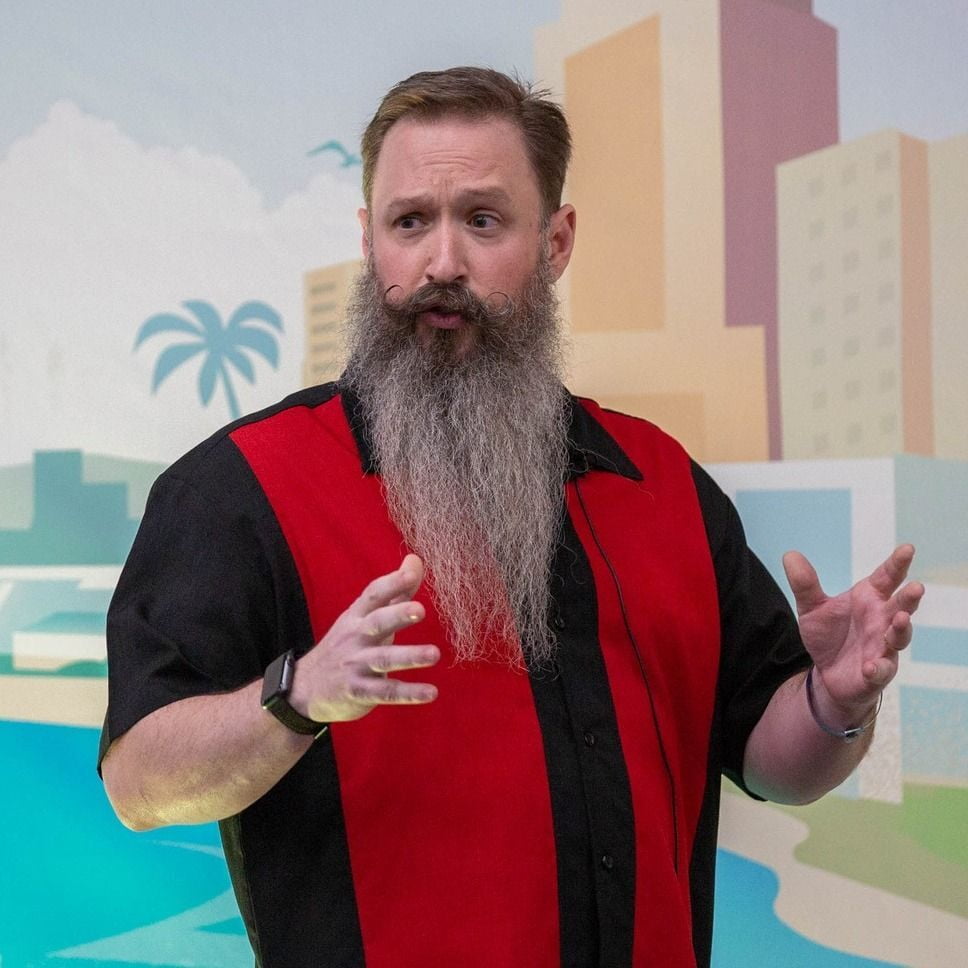
He’s also passionate about using AI to repurpose content and craft images, and he teaches others how to leverage AI in these areas. Additionally, he’s involved in video production, podcasting, and speaking at events. His work is all about making content creation smarter and more efficient while still keeping it fun. He’s also known for his epic beard. And if he ever shaved it off, his phone would no longer be able to open it based on face ID alone.
Today, we are diving into creating better graphics with AI with my friend and three-time Agents of Change guest, Jeff Sieh. Jeff, welcome back to the podcast.
Jeff: Hey, man. Really quickly, I’ve got to say the show has changed names to not Social Media News Live, because that is so dangerous. It’s Creator News Live.
Rich: I apologize. Creator News Live.
Jeff: That’s right. It’s very confusing because I have an old logo still. I mean, we’re rebranding constantly, so it feels like. So, I get it. I get it.
Rich: Yeah. I obviously must have been working off an old bio, and my apologies. I’m going to smack Claude around and just teach it to make sure that it’s only getting the latest and freshest data on my guests.
Jeff: Oh, I tell you. I tell you.
Rich: So Jeff, last time you were on the podcast was, I looked it up, was episode 562, which dropped about a year ago now. What has changed in the past year for you when it comes to AI-generated images? What’s possible now that might not have been possible only a year ago?
Jeff: So I think quicker and better, and video is the big one. So all that kind of stuff moves together. I mean, before we were able to start really rendering images, especially we talked a lot about Midjourney, because it’s very stylized. It’s kind of different than the other ones out there.
And now Midjourney has actually added a video component to it, where I use that part every week and it’s just faster every time. The model is get better and better.
Rich: All right. So I’ve been doing a number of episodes in the last few months all around AI and image generation. And every expert that I interview seems to have their own approach or focus when it comes to AI image generation.
How does Jeff Sieh approach AI for image generation? Is it a tool, is it a collaborator, or is it something else entirely?
Jeff: Yes, it is. So what it is for me, it is kind of all those things. I like to use it to get ideas from. When I speak now, I’ve kind of coined this term called “visual improv”. When you do improv comedy, you have certain rules that you do when you’re getting out there on stage. And I kind of took those rules from improv comedy and moved them to visual.
Because I think a lot of times somebody’s trying to get a perfect prompt. They see a prompt, they want to copy and paste it. You know, whenever you show a prompt when you’re speaking, all the phones come up and they take a picture of it. So instead of just having a prompt, these models are getting so good that now you can just kind of ideate and get what you really, really want. And if something doesn’t work, there’s so many cool models that you can use.
You could take it and move it to, let’s say, NanoBanana 2 or something else, and kind of blend styles, blend things that one model does well that the other model doesn’t. Like I mentioned, Midjourney is very stylized. I don’t like it for doing realistic images. For me, it’s stylization. It’s a certain kind of painterly style. But if I want something really photorealistic, cinematic, I’ll use NanoBanana 2. And sometimes I’ll combine the two.
For some reason I want something from NanoBanana 2 to have an animated GIF. So I’ll take that, put it to Midjourney, and Midjourney will make the five-second loopable video kind of a thing. So I like to kind of use it in those ways and not be locked into that perfect prompt or a certain model every time.
Rich: You mentioned Midjourney a couple times now. I know it’s one of your faves. You mentioned video, and then you just mentioned animated GIFs. So is that the same thing, or are you able to now create longer form videos in Midjourney… as of April 7th at 3:20 PM East Coast time?
Jeff: Yes, you can, and it’s getting better. They have just released, a couple weeks ago, Midjourney version 8, which everything’s better, everything’s faster, but it’s still what they call ‘alpha’. So you actually have to go to a different even website to use it.
So the regular Midjourney, if you call it that, you can extend from those five-second animated GIFs, you can extend them out. You’re not going to really put together a scene, like make clips of a movie like you could do with Vimeo and some of those other AI models. This is, for me, those social media clips where you want motion. That’s what I use it for.
Like I have, and I think we talked about it, we can talk about it some more a little bit. My process is when I create my YouTube graphic, I use Midjourney for that. I take that YouTube graphic, and I put it to Midjourney and say, “I want this loopable video.” And I say, “Keep the text on the screen,” because YouTube thumbnails usually have text, and Midjourney does a great job of animating the character in an engaging way that I can use during my live show, and I also use that in my emails when I promote the show. Those are the only kind of two places they are. So I want people to come see it, and sometimes I think people just come to look at those goofy, loopable animations. But it’s kind of the thing that I do now.
But Midjourney does a great job for me to make those really, really quickly. I can ideate really well. Whatever model you’re using it’s not going to give it to you right the first time. You have to do what we call ‘roll’. It’s like rolling the dice. And sometimes, I mean, if you look at me for my live show, getting ready, the preps for that YouTube thumbnail, there are hundreds… I’m just constantly till I get what I want. And then I’ll take it and then modify it and put the thumbnails and stuff on it.
But, yeah. It does do video, but not in the same way people are used to prompting it, like maybe in Gemini or something else. It’s kind of more of that social media graphic.
Rich: Okay. Makes sense. And I know that in the past, so obviously the Agents have changed the illustrations that the great Josh Fisher did for me. And I had always wanted to see them animated. And so when Midjourney offered that, it was the ability to be able to put them in. And quite honestly, it took way… This was maybe a year or so ago. It took way more iterations than it should have. They were just… I couldn’t get it to stop having them move their mouths. Like, I’m like, “He’s underwater. He’s not opening his mouth.” Didn’t matter, you know? So you do have to iterate, and I’m sure that the tool has gotten a lot better.
And then to your point about using multiple tools, I would then take those into Canva and use their magic background removal tool. And that would get rid of the background, so then I could put them in different places, which was really cool, too.
Jeff: Yeah. One of my hacks for Midjourney, because a lot of times, like when you’ve been on the show, I kind of made you a cyborg for one of the YouTube thumbnails a while back. I give them your image to use as a reference.
I think that’s the best way when you’re trying to do images, is to have an image reference for any model that you’re using. But I used the image of Rich, and I got it as close as I could. I did a face swap, and then I went in and I told it, “When to do the animation, not to open its mouth.” You have to kind of do that over and over and rolling it, and it’s getting better with understanding that in the video.
Because you’re right. For a long time, everybody had to sing. Like whenever you do any sort of image, they were all singing or doing some weird thing. It’s getting a lot better. You still get a lot of that, but it’s when you tell it not to move the mouth or keep the mouth closed or no talking, then it’s starting to hold onto that prompt a little bit better.
Rich: I found, although it still was hit-and-miss, that if I told it, “Don’t have it sing,” it seemed to only focus on the word ‘sing’, and it would get worse. When I said things like, “The mouth needs to remain shut,” like put it in a positive way, then it would more often get better results. But it still wasn’t perfect.
And one other thing you just mentioned, which I think is really critical, is the idea of a reference image. And I find the same thing when I am building out custom GPTs or Claude projects, that if I want it to really work well, I need to give it examples. And so whenever we give AI examples, that really seems to lead it in a direction that we had in our head.
And there are times when we might not want to. You mentioned ideation. Sometimes it’s best to just let the AI go crazy. But if you are looking to have something really locked into a particular outcome, if you’ve got an example of that outcome, like a photo of me, for example, or a proposal that was successful, those are the kind of reference points that AI can kind of grab onto.
Jeff: Yeah. One of the things that I really like to do, especially because Midjourney makes such great images, but maybe I want to make a better type of image – not just kind of a loopable social media thing – is if you have a start frame and an end frame, that helps you create those scenes when you’re making AI image generations a lot better.
And if you can get those really, really close to what you want, you’re leaps and bounds ahead of knocking your head against the wall trying to get it to what you want it to do.
Rich: You’ve given us one, but can you give another personal use case of how you’re using generative AI for imagery, and then maybe walk us through your workflow?
Like, what is a use case that you yourself are using, and then what are the exact steps that you’re taking to make it come to life?
Jeff: Yeah, so Midjourney my style is very retro, Norman Rockwell-ish. There’s some other artists that I put in my prompt that I have developed over the amount of time I’ve done it. So I can really get the style the way I want it, and so I start with that.
So I say, “Hey, I want this Norman Rockwell style image, yada, yada, yada, of Rich as a cyborg. I want him to the left side of the screen.” And then for me, because I’m on Midjourney’s plan and I have fast hours – which there’s two different kind of levels of the plan where you can have regular hours and fast hours. Fast hours renders things a lot faster. And if you do a dash seven, it’s going to give me seven sets of four in the rendering. So I throw a lot of stuff out all at once to get it nailed down. Because, you know, my show’s coming up the next day, I need to get this thing put together.
And so that gives me the images to start with. I have used Rich’s face as a omni reference. That’s kind of the thing that’s going to keep the character as close as possible, and it’s doing a better job of that. It’s still not publish-ready, in my opinion.
So I get that image the way I want. I also say, “Render this against a solid color background.” Kind of doing your step of going into Canva and having that magic removal tool. I just like to do it as a solid color because it makes it easier for me to do it. In Photoshop is where I usually finalize the design.
So I take that image in Midjourney that I’ve liked that looks close to Rich, I bring it into Photoshop, I put the text on it and I do a face replace. I have Rich’s image that I found on LinkedIn, or he sent me in an email that I can use, and I face swap that out inside of Photoshop, because there’s a plugin called picsi.ai that I use to swap it. And the cool thing about that plugin, it actually uses, like if you use a stylized image, it does a really good job of keeping that style if you’re using it to face swap. So that’s what I do. I take that, I get that, I put the titles on there.
And then the next step is I upload that final thumbnail back up to Midjourney, and that’s where I start doing the animation. And there’s two toggles now on Midjourney. There’s a photo button, and then there’s a video button. And inside the video button I can, once again, drag that image on there to use as a reference, and I say, “Make it loopable,” and I keep my action. They have a high action and a low action. I keep it low because I don’t want to have Rich look like he’s spazzing out or having a stroke or something like that.
So I do it that way, and then I render multiple times of that as well, because it’s going to give you some wacky things. Sometimes it’s really funny, and those are the ones I use. A lot of times it’s just kind of like, that’s going to catch somebody’s eye, I’m going to use that one. And then I’m ready to go. I download that. You can download the video as an animated GIF, which is very, very handy. Because I can drop that right into my email and Kit uses those. And I can just use them like an image, and they actually show up on my Kit page with all my emails. If somebody’s wanting to subscribe, they actually are animated on that page. And then I’ll also upload it for using it during my show as a movie. So that’s kind of my process.
Rich: That’s awesome. You mentioned Pixa. Is that P-I-X-A?
Jeff: P-I-C-S-A, I think it is. P-I-C-S-A. I’ll send it to you to make sure.
Rich: Yeah, and we’ll have that in the show notes. And is that a plugin for Adobe Photoshop?
Jeff: Yeah, they have a web-based version, they have a Discord version. They also have a Photoshop plugin. And it’s just really faster in my workflow that I can just put a marquee around your face, hit that, put your image over there, and it just swaps it, and it does such a good, fast job. It’s pretty amazing.
Rich: Yeah, when I saw what you had done with my face I was impressed for sure. Now, I don’t want all of our listeners to go out and start making fake Instagram accounts with my face on it, by the way, so let’s just make sure no catfishing, please.
All right. So a lot of us struggle with where to even begin when it comes to AI image generation. How can we use AI, and how do you use AI, for the ideation process, especially if we’re not even really sure what the final output might look like?
Jeff: Yeah, so there’s a couple ways. If you’re just kind of wanting to get inspiration, I really like going to Midjourney because they have an explore tab where other people in the community are actually making stuff, and it shows up there. So you can see their prompts, you can see the images they’re making.
You can actually build images off those prompts if you like the style of it, and you can do it right there. That’s why I personally pay for a higher-tier plan, so my stuff doesn’t show up in that feed because I want my stuff to be my stuff, right? But if you don’t mind that, you can just use that lower-tier plan. But I look at that.
They also have a video tab now where you can see video animations of what the community is doing, and that can spark a lot of ideas in your mind. The other thing is if you have an image that you really like, most all of these AI image generation tools allows you to upload an image and say, “Tell me what you see.” And it will give you a starting prompt of something that you want to create, which is a great way to start if you kind of want to have an image to go off of. So I use that a lot.
The other cool thing that I’ve been using, not just in image generation but for all AI and actually all my computer, I don’t know if you’ve played with this yet, Rich, but Wispr Flow, which basically has changed every part of my workflow. Like it is just stinking amazing. Now, when you’re talking to ChatGPT, their voice thing is cool. Claude has one, too. That’s handy if you’re going down the road and you just want to talk back and forth. But for speed of getting things into the computer at the speed of the way you can talk is amazing.
So now a lot of times, if I’m trying to ideate something on Midjourney, I’ll just use Wispr Flow right into the chat window and say, “Hey, I’m really wanting to make something that kind of looked like the Muppets Treasure Island movie marquee, but I want it in a retro style, and I want it to say this, but I want it to be green but not really a dark green, more of like a forest green,” and just word vomit into the chat window. And it is amazing.
You could actually do it even better by taking it into a chat or a Claude and just word vomiting like that, and then say, “Make me the perfect prompt for Midjourney. Make me the perfect prompt for DALL-E. Make me a perfect prompt for Nano Banana 2.” And it will actually do that for you. And then you can take that prompt and go to town. Being able to speak things into your computer now is very Star Trek, and I’m very much a nerd, and it is very, very cool.
Rich: All right, so two things I just want to kind of draw people’s attention to. The first one is Wispr Flow, which, yes, I was just using it today. I created a Claude project that helps me think about the presentations I want to give. And part of the prompting is it asks for what’s a good opening, do you have a personal story that relates to this? And I said, ‘yes’. And so I basically just hit the two buttons that turn on Wispr Flow on my computer, and I just word vomited told the story.
And what Wispr does that these other tools with a built-in audio don’t do is it cleans it up for you. So if you stop in the middle and you say, “Wait, wait, not forest green, Kermit green,” and you go back and you fix it, it’s not going to have all that extra text in it. It cleans it up. So that was brilliant.
And then the other thing that you mentioned also – and Wispr is spelled W-I-S-P-R Flow, for those of you paying attention – is how you then asked AI to write a better prompt for AI, which is something that I’ve now gotten into the habit of all the time. Because it takes a lot of time to put something into a framework of Richie or CLEAR or whatever your favorite framework for prompts are. You can just ask the AI to do it, mention the platform that you want to put it into, and it’s going to do all the heavy lifting.
And workflow is something you’ve mentioned a few times, Jeff. I’ve asked you about when you start to figure out how to use AI in your workflow the right way, it’s amazing how much faster this goes.
Jeff: Yeah. And I tell you, being able to speak things, like even responding to Rich in an email or talk to somebody in Slack. Remember the old days with Dragon NaturallySpeaking? It was just so clunky in what you have to transcribe. It just didn’t work.
This works seamlessly on your computer. And I tell you, I’m going to forget how to type at the end of the day. It’s just so, so nice. But for getting images down, it’s amazing.
Rich: For people in my age group who remember that we used to actually learn how to write cursive, and now the kids don’t learn how to write anything but their name in cursive. I’m wondering, I took keyboarding in high school, that’s soon going to be something that… it’s just skills we don’t need moving forward.
All right. In your opinion, we’ve kind of talked a little bit about this, but what separates a mediocre prompt from a really effective one, specific to AI image generation?
Jeff: I think it’s everybody wants to do it one time and just let it go. There’s no easy button. I mean even when you’re doing just normal AI work, you just don’t copy and paste. You go and fix things, you change it.
And so many people want to just say, “Hey, create me a logo that looks like Coke, and make it in green…” And they want it, and it… That’s just not good. Like, you have to work with it. Pretend you’re a designer. I mean, pretend you’re standing over a designer’s shoulder. Like, “Oh, oh, move this.” And if the designer forgets what you’re doing, then you just start a new chat window. Which you have to do quite a bit on some of these things. But just talk to it.
Now the prompting is getting so good, and do what Rich and I mentioned, like a period at the end of your sentence. Say, “Create for me the perfect prompt for this,” and then run it. Just train your brain to say that when you’re creating images and everything, and you will get so much better outputs than you have before. The models are getting better where they can figure out when you’re flubbing around and clean it up for you but being able to start with a prompt.
And the cool thing is, once you get a prompt and you kind of have a general idea of your image, you can plug it into NanoBanana. You can plug that same prompt into Midjourney, and you can kind of see how the different models handle things and which one’s going to be best for your project.
If I was making a lot of images, like a client gave me a logo, they’re a handmade chocolate factory and they want it in different situations like on a table, out in a picnic, all that stuff, I would use something like NanoBanana because it does realistic images way better than Midjourney.
If I wanted to help somebody come up with ideas for a logo that they want to take to a designer, I’d use Ideogram because it has great text capability to render your text out. If I wanted artistic styling and cinematic looks and things that, that would go on social media a little bit easier, I would use Midjourney.
So you have to learn those tools. And taking one prompt and putting it into those different areas can kind of train you and let you see which one’s going to work better.
Rich: Awesome. Jeff, we’re all seeing more AI-generated images out there. AI slop is one of the more popular phrases to describe them. And I always tell people, “Well, yes, you see the slop, but you don’t necessarily see the good AI because you don’t realize it is AI.” But that being said, how do we as mere mortals avoid creating work that just turns into AI slop or looks like everybody else’s?
You have a very distinctive style. You’ve described it a couple times on the show. What are some of the things that we can do to really make sure that our work stands out and reflects us or our brand?
Jeff: Don’t just use one image reference. Use multiple ones. Blend them together. Learn what styles you like.
I use this example, I think we talked about it in the pre-call. I was doing a project, and I wanted something that looked very Jetsons-y, right? The Jetsons, for all those people who don’t know what the Jetsons were, it was an old-time cartoon show, but they have a very distinct style. And I’m like, “What is this style? It’s kind of retro, but it’s more… It’s not really Atomic Age or whatever. And I put it up there, I asked Midjourney to tell me what it is, and it’s a style called Googie. Not Google, Googie. It’s an architectural style, mid-century modern.
So I’m like, “That’s really cool.” Now I have a place where I can say, “Hey, AI, I want you to make this in the style of the Googie architecture, but in the 1960s.” And pull in different things. Don’t just have one thing. Make it your own. That’s what artists have done throughout centuries, is they’ve blended different ideas, just different mediums, different models. And that’s what you need to do to make your stuff stand out and not look like AI slops.
For me, I like retro stuff. So what if I took something with the Googie architecture, but I also really like the new Fallout show, which is very Atomic Age kind of apocalyptic look, and I combine those together. What would that look like? So pull different ideas, things that you like, and come up with your own style.
And then once you have that style, lock it down and continue to use it over and over and over, and that becomes your branded style. Just like your cartoon characters. I know those weren’t done by AI, but those are yours. People know when they see that winged logo, Agents of Change, you have the conference. That is very, very recognizable.
Rich: Awesome. Yes to Fallout. No spoilers for season two yet, though.
Jeff: Yeah.
Rich: But that’s great. It’s interesting. It almost sounds like what you’re creating there is some sort of equivalent of a mood board. You’re pulling in all these different things, you’re mashing them up and mixing them up, and then you’re basically defining them somehow.
I’m wondering, is there a final product? Like, if you do something like that, you pull in the things that are most interesting to you. I love Spider-Man. There’s literally a specific artist who’s my favorite Spider-Man from the ’70s, all that sort of stuff, John Romita. If I bring in that, and then I also like the futuristic stuff, or I like this style and pull it all in, is there a way that I then name this? Whether it’s ‘Rich Brooks style’ or whatever, and then I have something to work off of so that I can use it almost like a starting prompt for other images I’ll create in the future?
Jeff: The cool thing is Midjourney has that built in. You can create mood boards now that you can have hundreds of images of the styles you like and pull it all in to make something with it, and you can say, “That’s the mood board I want to use.”
So I have a Pixar kind of animated faces that I use for cartoons of hundreds of different facial expressions of these cartoons that I can pull in for a mood board when I’m wanting to do a social graphic. So you can actually have your own mood boards now built into Midjourney. They even have it so you can train it so it knows what you like and don’t like, and really start surfacing stuff that only works for you. So these models are getting really, really good.
But once again, pull all those things into together, and then save it, whatever. You could even do it with NanoBanana. If you did that with your Spider-Man and all those different things, you could have an image that you really like. This is kind of the, “Okay, NanoBanana, this is what I want my style and kind of thing to look like.” Then you could upload another one with just a color palette from Canva of your brand colors and say, “Okay, these together, I want you to use those brand colors in this style, and create me this new image of…” I don’t know, whatever you want it to do for your branding, and it will pull those together and blend them up in really cool ways.
So that’s where I think people don’t think about. They just want one image and they’re done, or make me a logo. They’re not thinking about how to take all the stuff that they like and is part of their brand, pull it together and create something new.
Rich: That is really interesting. And I’ve seen that on Midjourney. Like, “Hey, let us learn a little bit more about your style.” And I’ve always avoided that because I kind of didn’t want to get locked into anything, but now I’m going to experiment with it.
Jeff: Yeah. Awesome. You can turn it off, too. And they even have styles now. Like I was talking about browsing other people’s content and looking at their images. You can browse styles now of multiple images, and they have a photo of a picture of a person, a picture of a fruit basket, and then another kind of image. So you can see how they look with the different styles applied to different types of images, which is very, very helpful.
Rich: This next question may just be a variation on what I just asked you, but if there’s a different answer, let me know. How do we use these tools to elevate our work without losing the human element that makes it meaningful?
Jeff: So this, I don’t know if this is what you’re asking for, but a lot of times people talk about the AI slop and then the ethics of using AI images. And I always come back to, my stuff isn’t art. It’s not art, it’s novel. There’s a difference between novel stuff and art.
When Rich was on my show, I had a theme song that AI helps me create every week for my guest, which is very, very cool. I love doing it. It’s one of my favorite things. It’s fun. Nobody’s going to go to a concert of all my songs that are played at the beginning of my show. It’s not going to happen, right? It’s novel. It’s fun. It lets me have fun with my show and my guests, but it’s not art. So I think sometimes I don’t think anything I create is art. I think it’s novel, and it gets the word out, and it gets me noticed.
So I don’t know if that was the answer to your question or not, but I think to stand out, you have to do those things we talked about before and just pull things together and make it your own. People know my style. They just know what way it’s going to look, and so how can you do that for your brand? Part of it is finding something you like and staying consistent and not flying all around everywhere. And I think that’s probably the biggest mistake people do, is they try something new. They have, oh, this guy made a really cool robot kind of style in purple. I’m going to use that. Well, that just confuses your audience.
So find something you really like. Don’t launch it until you’re really happy with it. But if you find that branding stuff, you can just continue to use it over and over with AI or with an artist that you hire to develop some special graphic you’re going to use for an event. You can have that style and apply it to both AI and give it to a designer to use if they need it.
Rich: Awesome. And I wouldn’t sell yourself short on the music that you make for your shows. |Because I have heard about orchestras actually playing all the songs from the Nintendo video games in the 1980s. So really, pop culture is eating itself.
Jeff: That’s right, that’s right.
Rich: Jeff, if we want to get better at using AI for image generation creation this week, what is the one thing that we should try to do right after listening to this episode?
Jeff: Go and find the styles that you like. Like, what makes you stop the feed? Because there is a lot of AI garbage out there, but when you’re scrolling through Instagram or you’re scrolling through Facebook or TikTok or whatever, what’s making you stop? And try to not just like, oh, there’s a cat singing or playing the banjo. Like, something you really like visually that makes you stop. And then take note of that.
And why did you like it? Was it the colors? Was it the stylize of the image? Was it super photorealistic with the sunset in the background? Find out and learn what you like, because when you find out what you like, then you’ll want to create it, and you’ll be on the lookout for ways to blend it together with different ideas that you might have, different color schemes, just whole styles. And then start to refine that.
But you could do that really easy just by having a free account and going scrolling on Midjourney and seeing what other people are doing and be inspired in that way.
Rich: Awesome. Jeff, if people want to check out your work, your podcast, everything that you’ve got to offer, where can we send them online?
Jeff: Jeffsieh.com. That’s I before E, especially in Sieh, so S-I-E-H. And we have a show every Friday at 10:00 AM Central, Creator News Live. I’ve also started a new carving and crocheting show with Katie Fox where it’s called, The Makers Table. We do it 1:00 on Fridays as well, which is totally separate and different, and we have a ball doing it.
But yeah, jeffsieh.com. You can find me everywhere.
Rich: I love that. I’m going to check out that show. I’m not so into the knitting part. Or was it knitting? What was it?
Jeff: Yeah, so I carve, she crochets, and we have great conversation.
Rich: Awesome. I will have to check that out. Jeff, always a pleasure to see you. Thank you so much for coming by today.
Jeff: Thank you, Rich, for this amazing podcast. Appreciate you.
Show Notes:
Jeff Sieh is a content creator, live streamer, and host of Creator News Live, where he helps marketers, entrepreneurs, and creators make smarter use of content, AI, and visual storytelling. Known for his practical approach to content repurposing and AI-powered workflows, Jeff regularly teaches audiences how to create more engaging content while saving time and staying creative.
Rich Brooks is the President of flyte new media, a web design & digital marketing agency in Portland, Maine, and founder of the Agents of Change. He’s passionate about helping small businesses grow online and has put his nearly 30 years of experience into the book, The Lead Machine: The Small Business Guide to Digital Marketing.