



Podcast: Play in new window | Download
LinkedIn is giving video more attention, but that doesn’t mean you need to become a full-time content creator to benefit. LinkedIn expert Louise Brogan shares how to use everything from quick introductory videos to live events to build your visibility, connect with potential customers, and turn one piece of content into multiple opportunities to get noticed.
How to Use LinkedIn Video and LinkedIn Live to Raise Your Visibility
LinkedIn has been quietly turning into a video platform. Scroll your feed for five minutes and you’ll see vertical clips, explainer videos, and live streams sitting between the usual job announcements and humblebrags.
For small businesses, that shift is an opening. Fewer of your competitors are doing video well on LinkedIn than on Instagram or TikTok, and the people on LinkedIn are already in a business frame of mind.
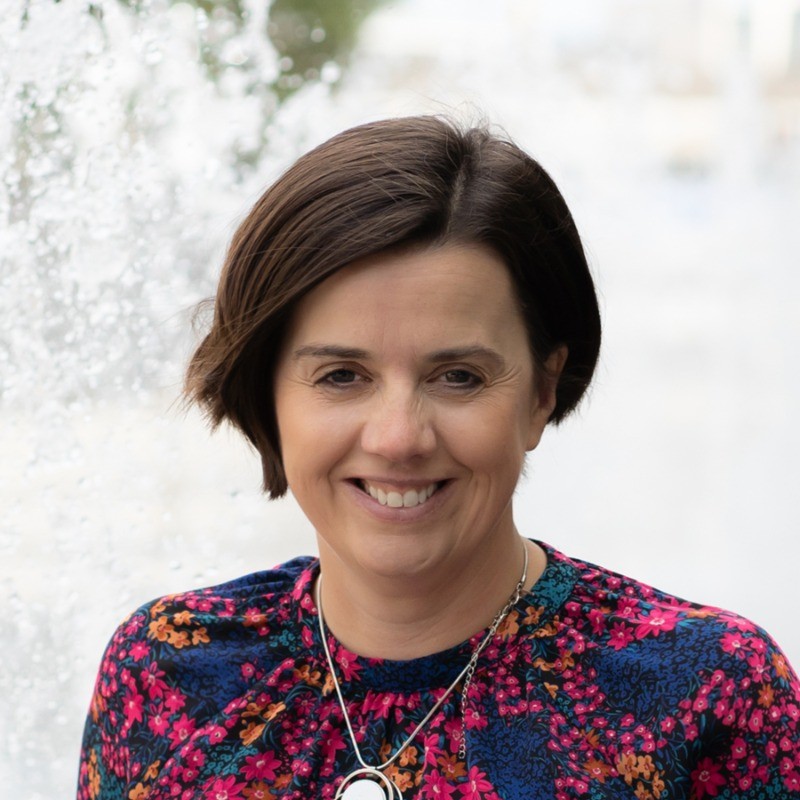
I recently talked with Louise Brogan, a LinkedIn strategist, author of Raise Your Visibility on LinkedIn, and host of the Raise Your Visibility Online podcast and YouTube channel. She’s spent years digging into how LinkedIn works under the hood, and her take on video lines up with what I’ve seen: the format that works best for businesses isn’t always the one LinkedIn talks about most.
Why LinkedIn wants your video
Louise went all in on LinkedIn back in 2017 or 2018, when, as she put it, it was “the uncool thing.” Nobody else was teaching it, and the businesses that wanted help with it tended to have budgets to match.
Today LinkedIn is pushing video hard. Louise believes part of the reason is recruiting: the younger job seekers LinkedIn wants to attract grew up on short-form video. That explains all the vertical clips. It doesn’t mean short-form is your best play.
Long-form is where LinkedIn video shines for business
While short clips get the attention, Louise finds that longer content works better for the businesses she works with.
LinkedIn lets you upload videos up to 10 minutes long. A six or seven-minute walkthrough of something your audience struggles with is the kind of video people watch to the end, because they want the answer. (It’s the same reason I’ll sit through a 12-minute video on fixing a leaky faucet but bail on a 15-second dance trend.)
Her favorite format is LinkedIn Live. People do tune in live, but Louise sees a far bigger share of the audience watching the replay. So a live stream does double duty: real-time engagement for the folks who show up, and an evergreen video for everyone else.
How to go live on LinkedIn (and get people to show up)
You can’t just tap a button and go live on LinkedIn. Streams are set up in advance as LinkedIn Events, usually through a third-party tool. Louise uses StreamYard: you create the broadcast there, and it creates the event on LinkedIn, complete with title, description, and time.
This is not Field of Dreams. If you build it, they won’t come unless you tell them well in advance. A few habits help:
- Give a week’s notice. In Louise’s words, “people don’t go to LinkedIn every day.” An invite for tomorrow’s stream is going to get missed.
- Pick a regular slot. If you go live every Thursday at 11, your network starts to expect it.
- Let LinkedIn handle the reminders. Registrants get a confirmation email with a calendar invite, and LinkedIn notifies them when you go live.
- Promote beyond LinkedIn. Your email list is still one of your best tools for filling seats (virtual ones, anyway).
Louise keeps her own lives loose and interactive, covering new LinkedIn features and taking questions. That’s a solid model if you want a recurring show without a lot of prep.
Turn your LinkedIn Live into a mini conference
For clients, Louise runs lives more like webinars or virtual events. One learning and development company hosted what amounted to a mini conference on LinkedIn: two four-hour sessions (four hours is the limit for a single stream) with a lineup of speakers giving 30-minute talks.
The clever part is how they built the audience. When you add someone as a speaker on a LinkedIn Event, they can invite their own network to attend. Every guest becomes a promoter.
The catch is that speakers have to accept the role, and until they do, it sits there as pending. Plan on some friendly nagging the week before. Louise also recommends having someone from your team in the event chat, keeping conversations going while the speakers present.
Company page or personal profile?
In my opinion, LinkedIn company pages have always been underpowered and underwhelming when it comes to engagement. LinkedIn is a person-to-person platform, and people would rather hear from people.
So why go live on a company page? Louise gave two reasons. It raises the visibility of the brand and can feel more polished. And LinkedIn has added native editing and clipping tools for company page live streams, which she was testing when we talked. If those hold up, repurposing gets a lot easier.
You’ll need to be a page admin, and the page needs at least 150 followers before you can go live. One of Louise’s clients had about 70 when they started. They made it a priority and cleared 150 within days.
That same client used their live stream for business development. The CEO hosted a panel with two existing clients and two prospects he wanted to win, asking each of them pointed questions about a hot topic in their industry. It’s hard to think of a better way to start a relationship than giving a prospect a stage.
LinkedIn video best practices for prerecorded clips
If you’re posting prerecorded video, especially vertical video, Louise shared a few LinkedIn-specific tips:
- Hook them on the first frame. Put a word or sticker on screen right away to stop the scroll.
- Keep short clips short. LinkedIn’s guidance has dropped from about 60 seconds to roughly 30.
- Move your captions up. On vertical video, LinkedIn lays your name, headline, and its own captions across the bottom of the screen. Burn captions into the lower third and they’ll get covered. Put them near the top.
I repurpose my TV segments to LinkedIn regularly, so I’ll be checking where my own captions land.
Create once, publish everywhere
Louise’s framework is built on a simple idea: Create Once, Publish Everywhere. She records a longer video, posts it to YouTube, then chops it into clips for LinkedIn.
At an event she hosted in Belfast, a YouTube rep pushed her to go further and post those clips to TikTok and Instagram Reels too. Her conclusion: “Just because I don’t use those platforms doesn’t mean that I shouldn’t be putting my content out on those.”
Your audience isn’t obligated to hang out where you do. A 30-second clip that makes someone want to watch the full video can do its job on any platform.
Your easiest first LinkedIn video
If you haven’t done any video on LinkedIn yet, Louise’s advice is refreshingly low-pressure. Start with your profile, not your feed.
Record a 30-second video explaining how you help the person watching. Add it to the Featured section of your profile so anyone checking you out can hit play. You can also set the video tab in your activity section to show first.
The question behind all of it, according to Louise, is how you can help the person consuming that content. Answer that, and the format matters a lot less.
Your next steps
- Record a 30-second “here’s how I help you” video and pin it to your Featured section this week.
- Check whether your company page has 150 followers. If not, ask your team to invite their networks.
- Schedule your first LinkedIn Live at least a week out, at a time you can repeat.
- Plan one five to seven-minute explainer video on a question your customers ask all the time.
- Move your vertical video captions to the top of the frame.
Transcript From Louise Brogan’s Episode
Rich: My next guest helps entrepreneurs and small business owners leverage LinkedIn to raise their profile and generate leads and sales. She’s also the author of Raise Your Visibility on LinkedIn, an easy-to-read guide on how to leverage LinkedIn to raise your profile and build a network of value.
As a host of Raise Your Visibility Online podcast and YouTube channel with over 100,000 subscribers, she shares actionable tips for growing businesses online. Today, we’re going to learn how you can build your visibility on LinkedIn leveraging video with Louise Brogan. Louise, welcome to the podcast
Louise: Thank you so much, Rich. I’m delighted to be here
Rich: Now, I’m curious how you decided to land on LinkedIn, and specifically with a focus on video. What led you there?
Louise: So my background is actually software engineering and IT project management, which has got nothing to do with marketing. I don’t have any marketing qualifications. But what I do have is a thirst for learning stuff and figuring things out.
And when I had my kids, and it was challenging juggling work, ambition, and having a young family, I decided to work for myself. So I started out doing social media in general for companies, and about a few years into that, I worked with a coach in the US and she said to me, “Louise, if you niche down to one platform, I think that could work really well for you.”
And I thought, which platform would I niche down to? And at the time, Facebook and Instagram were like, everyone was teaching it. I thought, no one’s teaching LinkedIn that I’m aware of. This is like 2017, 2018. It was like the uncool thing, as my teenagers would say. Also, I realized that the businesses that used LinkedIn or wanted to learn about LinkedIn were inclined to have more money to invest in getting help and support with that.
So I took a punt on it, and it really played out for me. And my whole background in liking to figure out how things work has worked really well with LinkedIn because I have been able to dive really deep into the inner workings of it and how it works and latest features that come out and all that kind of stuff.
And as to why video, again, not a lot of people are talking about video on LinkedIn, but LinkedIn are pushing video. So they invited me to an event in London last weekend called Adweek, and it was all about video on LinkedIn. And they had a little video booth and they were getting people to go in and make a short video, et cetera, et cetera. And the reason I believe they’re pushing video is because they want to attract the younger generation who are the bulk of the job seekers in the marketplace.
And that generation, Rich, I don’t know what they’re called. I get lost. Gen Z, whatever, Gen Alpha, whatever they are. Their social media of choice is short-form video content. So I partly think that it’s a way of attracting that generation to this platform. But turns out that there’s loads of different ways to use video on LinkedIn, which actually work really well for the businesses that I work with.
Rich: Now, do you find that the way that people engage with videos on LinkedIn is different than the way they might engage with videos on other platforms like Meta or TikTok?
Louise: So I’m not really on those other platforms for video. But yes, I do think so. So whereas I just said to you that they want us to do short-form video content to attract that younger generation, but that’s the job seeker space and the recruitment space. Where I find video works really powerfully on LinkedIn is actually longer form video content.
Rich: How do you define longer form video content in terms of the time?
Louise: Yeah, so if you can upload a video for up to 10 minutes on LinkedIn, and if you took a subject and explained it. So for example, I could do a video, share a video on LinkedIn that is how to set up and use your LinkedIn company page, and that could be six or seven minutes long, right? So people are going to watch that because they want to learn how to do that.
But also my favorite kind of video on LinkedIn is actually the live stream videos, the LinkedIn Lives. And whether it’s on your personal profile or your company page, people will show up and watch those live streams, but a far bigger percentage of your audience will actually watch it after the fact.
Rich: So when you’re creating those videos, those events, live videos, are you thinking more of the audience that shows up or are you thinking more about the people who come afterwards to watch those videos?
Louise: So the way I do it personally, is I will show up and I will take questions from my live audience. So I prefer it if people are showing up live. But with clients, it is more of creating an event like a webinar, or I had a client, I’m working with them again this year, we do almost like a mini conference hosted on LinkedIn.
For that, it is really about delivering a 30-minute talk on something that could be watched anytime. So it doesn’t really matter about engaging necessarily with the live audience at the time. But as a personal way of preference, I prefer doing it when people are actually engaging with me in real time.
Rich: Let’s talk about both those options. So the first one you mentioned is your preferred way of doing it, where you have an engaged audience, they’re asking you questions, that video is saved, you can repurpose it in a bunch of different ways. How do you get people to show up, take time out of their busy day, so on and so forth, and engage with you on LinkedIn?
Because LinkedIn, as much as I like it, doesn’t always feel like the most engaging platform. So what are some of the tactics you’re doing to build that live audience?
Louise: So when you can’t just go live on LinkedIn, you can’t just press a button and go live. You have to create the live stream in advance, and we do it through LinkedIn Events. So I use a third-party tool called StreamYard.
So you go into StreamYard, or you can use other software of course, as well. But the way I do it, you go into StreamYard and you create a live stream, which then creates an event on LinkedIn. So you have the whole setup. You have the description, the title of the talk. You schedule the time, and when it goes onto LinkedIn. Then you go into LinkedIn and you make sure everything’s sitting properly, then you invite people in your network to join the event.
You really want to do it probably a week out, I would say. If I created an event to go live tomorrow, it doesn’t really give people enough time to sign up for it. So first of all, I would suggest that if you want to do this, you become consistent with it so people know that this is what you do. They say, “Okay, Louise tends to go live at 11:00 on a Thursday.” So they get used to that, right? But then if you do it a week out, because people don’t go to LinkedIn every day, that’s the other thing.
It’s a very different platform to the other social media. Yes, people scroll it on their phones, but they’re more likely to go into it not a daily basis. So if you have sent, if I sent you an invite, Rich, then if I sent it today for you for tomorrow, it’s too short notice for the LinkedIn audience, so you do want to do it in advance.
And then people get notified when you’ve gone live. First of all, LinkedIn sends them an email to say, “You have registered for this event,” and it becomes one of those ICS cards you can click into your calendar. So they get notified on their calendar, and then on LinkedIn they also get notified when you go live, and it shows up at the top of the notifications. It’ll say, “Your connection, Louise Brogan is currently live in this show,” and people click into it to watch it that way as well.
Rich: All right. So that’s if you want to put on a live event and you’re trying to get an engaged audience to ask you questions and stuff, you’re planning it in advance, you’re showing up on a consistent frequency, like every Thursday at 10:00 AM or whatever it may be, and over time you’re building that audience. And I assume that you’re sending out emails via LinkedIn as well as possibly you’ve got your own email list that you’re also letting people know, “Hey, in this week…”
And when you’re doing your show, are you doing the same topic every week, or do you have an editorial calendar where this week we’re talking about LinkedIn video, and this week we’re talking about networking at live events, or whatever those topics may be?
Louise: Yeah, for me personally, when I do it, it’s more about here’s the latest features on LinkedIn. So it would definitely be different. The overarching is the same because it’s how to use LinkedIn for business. But it will be, “here’s the new features that have come out this week, and have you seen this thing?” And sometimes I’ll cover tools that I use in conjunction with LinkedIn, say Claude or Canva or something like that
Rich: Now let’s shift, because you also mentioned you’re working with clients, and those clients tend to do more of the webinar or event style live events. So what does that look like? How does the model change for setting that up and getting going? Is it the same thing, or are there some different strategies that are involved there?
Louise: It’s slightly different. I use the same software, yes. So an example of a client that I’ve done this with, they’re a learning and development company, so they will bring in a guest speaker. So each time we do it, there’s somebody who’s new to the whole process, so I have to explain how it works to them.
But if we did it with StreamYard, again, this time if you are a guest on someone’s LinkedIn Live, you turn up to the StreamYard, you don’t turn up to LinkedIn to go live. So actually when you’re on the tool that is going live, you don’t see LinkedIn, which actually has run into a few difficulties in the past for me, Rich, where it has failed in the past once or twice with me, so I’ve thought that I’m going live and I’m not. But that’s okay, because it’s all captured in StreamYard anyway.
But so this client, this L&D client, we did a four-hour live stream from Belfast. So a four-hour live stream with multiple guests. And so say the guests would be in for a 30-minute presentation, and then we’d have questions at the end. So can’t go live for more than four hours. I learned that because we actually wanted to do quite a long, almost a whole day conference, and we had to do it across two days. So we had two four-hour sessions on say, a Wednesday or Thursday. And we invited in the different speakers.
And on the LinkedIn event, so first of all, these were on the LinkedIn company page. They weren’t on a LinkedIn personal profile. So the organization hosted it on their company page. And then the LinkedIn event, if you were the speaker, I would go into the admin of the event and I would make you a speaker of the event, which you then have to accept. So for people who set these up, you can invite all your speakers in, but until they accept that role as a speaker, it just sits as pending in your LinkedIn event.
So there’s quite a lot of following up with emails and messages to people saying, “Hey, guys, our live stream is next week and you haven’t accepted your speaker role yet”, then each speaker can then invite people to attend the event. So that’s a brilliant way of widening audience, and that’s why people do it with their guests as well. So it’s widening the audience who are going to come to the live stream.
And then it’s very much about, and I’ve done this with quite a few clients now, managing the whole thing behind the scenes. So for some clients I’m actually on the screen with them, which I find funny because it’s like who’s this random Irish person popping up in our American business webinar?” But a lot of them, I will literally be behind the scenes, and you’re managing the next speaker’s coming up and the next speaker’s coming up, and you can pull them off the screen, that kind of stuff.
Then we’ve also had people within the organization who are then in the chat of the live event over on LinkedIn as well. So they’re encouraging people to have conversations within the chat and keep them there as well.
Rich: All right, so it sounds like there’s a lot of different tools. Is there anything else that we need to consider about going live with video on LinkedIn? Because I know there are some other ways of creating video for LinkedIn as well.
Louise: Yeah, there are restrictions on how long you can… I don’t think you can create a LinkedIn Live that is less than two hours in advance. Does that make sense? So you and I couldn’t say let’s just move this podcast to a live stream and let’s do it in there”, you can’t do that. It would have to have window of time before you could actually set that up. So that’s a bit of a restriction. There’s the time restriction, obviously. I don’t believe there’s a restriction in how many people you can invite to be on live stream.
And in fact, a few years ago, for Small Business Saturday, where people are focusing on small businesses in the run-up to Christmas holidays I had, I think, 20 different guests who just came in and out to talk about their businesses for 10 minutes. So I don’t think there’s a restriction on that.
If you’re doing it on your LinkedIn company page, you have to be an admin on the company page to be able to set it up, you cannot go live on a personal profile and a LinkedIn profile at the same time. It’s restricted to one or the other. But what I tend to do with my own live streams is I will actually go live on YouTube at the same time, but I couldn’t do my LinkedIn company page and my LinkedIn profile as well.
Rich: Okay. So on LinkedIn, it’s only one profile that you’re speaking to. How do you decide, because one of the challenges I see on LinkedIn is it very much is a human-to-human platform. And company pages just, in my opinion, are surprisingly weak as magnets. Now, I’m not talking about giant corporations, but for typical small business, we just don’t see a lot of engagement on our website except maybe if we post a job.
So why would you choose to go live on your company page versus on your personal profile that might get more natural engagement anyways?
Louise: There’s a huge reason, which I am testing tomorrow. My live stream tomorrow is on my company page because LinkedIn have brought in native tools for repurposing and clipping the content only on the company page live stream. So I can’t do that on my personal profile. You can use third-party tools for that, but they’ve created native editing and clipping tools on company page live streams, which I find quite fascinating.
There’s a lot of things that they do, Rich, that I think are a bit odd, the decisions behind them. The other thing is if you have a company page, you have to have, I think, 150 followers before you can actually create a LinkedIn live on your company page as well. So that’s really important.
So a client that I worked with who are based in London, and they work with the transport industry, like transport distribution network across America, they wanted to do a live stream. And for them it was on the company page rather than the CEO’s profile because they wanted to raise the visibility of the brand, and I suppose I feel it’s a bit more professional maybe than doing it on your personal profile.
But if you have everybody in the team on board, they are inviting their personal network to attend the event, that’s how you can get your audience in there. But with that organization, when they first came to me, because they had never really bothered focusing on building the company page until they thought “this is something we want to do”, so they only had about 70 or 80 followers on the company page. So I said, “Look, guys, you’ve got to work on getting to 150.” Which they did literally within a few days because they just focused on it.
But what was really interesting, Rich, because what they did was they had two existing clients, and two clients that they wanted to win business from their guests. And the CEO of the organization talked about something that was very current in their industry, and it was all very organized in advance. And it wasn’t scripted. Everyone who was asked a question answered the question. But because they were all experts in their space, it was honestly a brilliant interview. It was like a panel, basically.
So it was about 45 minutes long, but the CEO had very specific questions he wanted to ask, and part of his strategy was to build the relationships with the two guys who were not yet his clients. So that was pretty fascinating to watch.
Rich: Yeah, that’s a good implementation. Now, so far we’ve just talked about live video, but obviously that’s not the only kind. You can record video elsewhere, upload it to LinkedIn. Do you have any recommendations around that?
Especially because it seems like there is long-form content as well as the vertical videos that we see everywhere online now. What are some of the recommendations you have for your clients when they’re trying to use some of that prerecorded material?
Louise: Yeah, there’s some very specific things that LinkedIn would talk about. One is that wherever the very first frame, you should have something on top of the video, like a sticker or a word to catch attention of people in the newsfeed, and then hooking people in the first instant.
But those videos, originally LinkedIn said they should be about 60 seconds long, and their recommendation has dropped now to 30 seconds. That is pretty short. But also, when you embed the captions onto your video, someone is speaking… for people who don’t really do a lot of video on social media, it’s the words that I’m saying are on the screen so you can read along. Because a lot of people still watch all this stuff with the sound off.
With LinkedIn, there’s a very specific frame that you don’t want to have anything outside of, if that makes sense. If you burn your captions into the bottom of your video, for example, they will be covered over by your face, your name, your LinkedIn headline, and then LinkedIn’s own captions. So you need to probably put the captions at the top of your video rather than at the bottom, which is really specific to LinkedIn. So again, I don’t know why they cover up part of your video, but they do.
Rich: Is that true with all video, or is it just the vertical video?
Louise: Oh, sorry, the vertical video.
Rich: Okay.
Louise: All with the vertical video, yeah. And also, then if you write a post with that video, that post, I find it quite awkward that post begins on the screen of the video, and you have to click on it to actually get… It’s quite tricky to get into the post to read the post. But then people who like video maybe don’t want to read posts. I like creating video, but I prefer to read. So everyone likes a different way.
Rich: Right.
Louise: I prefer to consume through reading or listening to podcasts. I don’t really watch video, even though I create a lot of video, which might sound a bit weird
Rich: I repurpose a lot of my TV appearances. I appear as the tech guru on our local NBC affiliates here in Maine, and I always take the video and I put them up. And I use those dynamic captions, I find them more interesting. But one of the things that I’ve learned is I always have to go in and shut off their auto-generated captions, otherwise they’re competing for attention and it just makes for a messy video.
Louise: The thing with that, Rich, is that the captions playing on LinkedIn are at the audience’s side. So in other words, if I have captions set to play on videos, it’s my account as the viewer that determines whether that’s on or off. Does that make sense?
Rich: I’ve never looked at my videos on anybody else’s account, so I’m going to have to go check that out for sure. But I have been shutting them off, and as far as I know, that was always working. But now you’ve created some doubt. I’ll have to go double-check that.
Louise: Yeah, we’ll have to check.
Rich: Now, once you’ve created these videos, whether live or prerecorded, what are some of the steps that you’re taking or that you’re recommending in terms of repurposing that content?
Louise: Last week I hosted an event in Belfast, and we had the YouTube Ireland ambassador. And I tell you what, Rich, it’s the first time anyone’s ever made me think about going to TikTok, which sounds weird because he was from YouTube. But he said, “You have got to put that everywhere. Put that video everywhere.”
So my whole framework of working with people is called, Create Once, Publish Everywhere. So I tend to do longer form videos, say like a seven, eight-minute video, goes on YouTube, and then chop it up and repurpose it for LinkedIn mainly. I don’t really go to the other platforms. But he said no, you’ve got to get on TikTok and Instagram Reels as well.” So I thought, why am I not doing that? Just because I don’t use those platforms doesn’t mean that I shouldn’t be putting my content out on those.
And again, there’s so many editing tools out there now for us for video. You’ve got to get straight in there, no time wasting, no room for humanity, Rich. But sorry, that’s not true. But pulling out the best bits and making a short, 30-second video that makes people want to go and watch your longer form video, that’s really the key to that.
But it was interesting that he said you should be putting those short form videos onto TikTok, sending people to those other channels.
Rich: All right. If somebody wanted to get started today and they hadn’t done any video on LinkedIn, what’s the first thing that you would recommend that they get started on?
Louise: So of all the things we’ve talked about, we haven’t actually talked about where video sits on your profile.
Rich: Okay.
Louise: I went to look at your profile, and I went to your activity section. Video has its own tab, and as the owner of your profile, you can set the video tab up to be the first thing that people see. And you’ve also got a featured section on your profile. So a very first video, which I think is, I hope, an easy lift for people, could be a short 30-second video about how you can help the person who’s watching the video. Then you could put that into your featured section of your personal profile so that when people go to your profile and they scroll down, they would play that video to find out more about you.
But really thinking about what are the key questions that your audience have about what it is that you do. All the content that I share on LinkedIn and advise clients to share on LinkedIn is about how can you help the person who is consuming that content? So how can you take something that they aren’t really sure about and explain it in a way that makes them want to know more about how they can maybe then go and work with you or take the next step with you. But the short first video could be that kind of introducing video that you could then put to your featured section. That might be an easy way to start.
Rich: All right. Good way to dip your toe in. Louise, if people want to learn more about you and the services that you provide, where can we send them?
Louise: You could come find me on LinkedIn. But my website is louisebrogan.com, and then obviously I’m on LinkedIn as Louise Brogan, and Raise Your Visibility Online on YouTube, where you can learn pretty much anything you need to know about LinkedIn
Rich: Awesome. We will have those links in the show notes. Louise, an absolute pleasure. Thank you so much for your expertise today.
Louise: Oh, thanks, Rich. Hope this was helpful.
Show Notes:
Louise Brogan is a LinkedIn strategist, speaker, and author who helps entrepreneurs and small business owners increase their visibility, build meaningful professional networks, and generate leads through LinkedIn. She’s the author of Raise Your Visibility on LinkedIn and host of the Raise Your Visibility Online podcast. Connect with Louise on LinkedIn, or explore her YouTube channel, where she shares practical LinkedIn tips and tutorials.
Rich Brooks is the President of flyte new media, digital agency offering branding, web design, and digital marketing located in Portland, Maine. He is also the founder of the Agents of Change. He’s passionate about helping small businesses grow online and has put his nearly 30 years of experience into the book, The Lead Machine: The Small Business Guide to Digital Marketing